

.svg)
.svg)

.png)
Payroll tax catches a lot of growing businesses out. It's not one tax, it's eight, one per state and territory, each with its own threshold, its own rate, and its own rules for tapering the threshold as wages grow. Pay staff in more than one state and it gets worse: the threshold isn't per state, it's shared across your whole business and split proportionally, so a business paying wages in three states doesn't get three full thresholds. It gets a slice of one.
Our payroll tax report used to leave gaps. We've rebuilt if from the ground up, and at the same time built a free calculator anyone can use, whether they run payroll through Microkeeper or not.
What is payroll tax, and why is it so easy to get wrong?
Payroll tax is a state and territory tax on your total wages bill, separate from and often confused with, PAYG withholding, which is federal tax you take out of an employee's pay on the ATO's behalf. Payroll tax is a cost to your business. You only start paying it once your wages cross a state's threshold, which is why small employers rarely think about it and growing employers get caught by surprise.
The calculation has more steps than most people expect. Wages get annualised to compare against the state's yearly threshold. The threshold itself tapers away as wages grow, and disappears altogether above an upper limit. If you pay wages in more than one state, that threshold is worked out on your total Australian wages first, then split between states in proportion to where you paid them. Some states, Victoria, Queensland and ACT, add a levy on top once you're above a certain size. Get any of those steps wrong and the number you land on is wrong too.
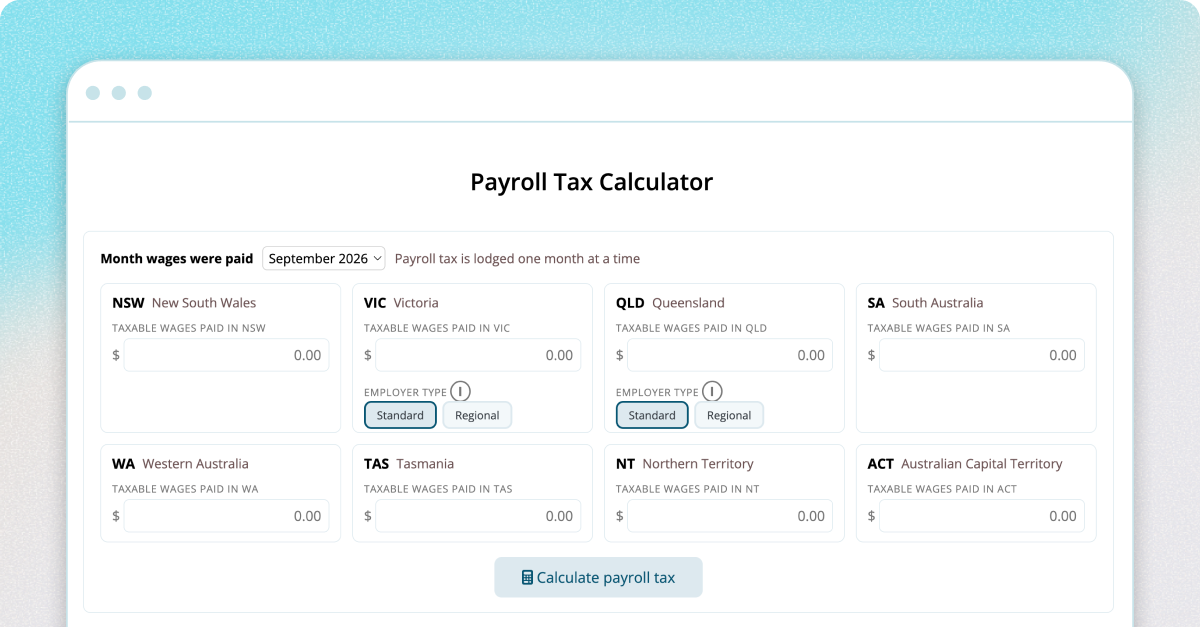
Try the free payroll tax calculator
Our payroll tax calculator works out your liability across NSW, VIC, QLD, SA, WA, TAS, NT and the ACT for a single month, using the current rate, threshold, regional discount and levy settings for each state, including the Victorian, Queensland and Regional employer rate options where they apply.
Enter what you paid in each state, and it shows the full working, not just a final number: how the threshold was annualised, tapered, and split between states, and which levies applied where.
It's free to use and open to anyone, whether or not you're a Microkeeper customer. If you're a bookkeeper, accountant, or business owner trying to sanity-check a number before your monthly lodgment, it's built for exactly that.
As with any calculator like this, it's a general information tool, not advice for your specific situation, it assumes you're a single, ungrouped employer and that the figures you enter are already the full taxable wages with exempt payment removed. If your business is grouped with related entities, your actual liability will usually be higer than the figure it shows. Always confirm your position with the relevant state revenue office or a registered tax agent before lodging or paying.
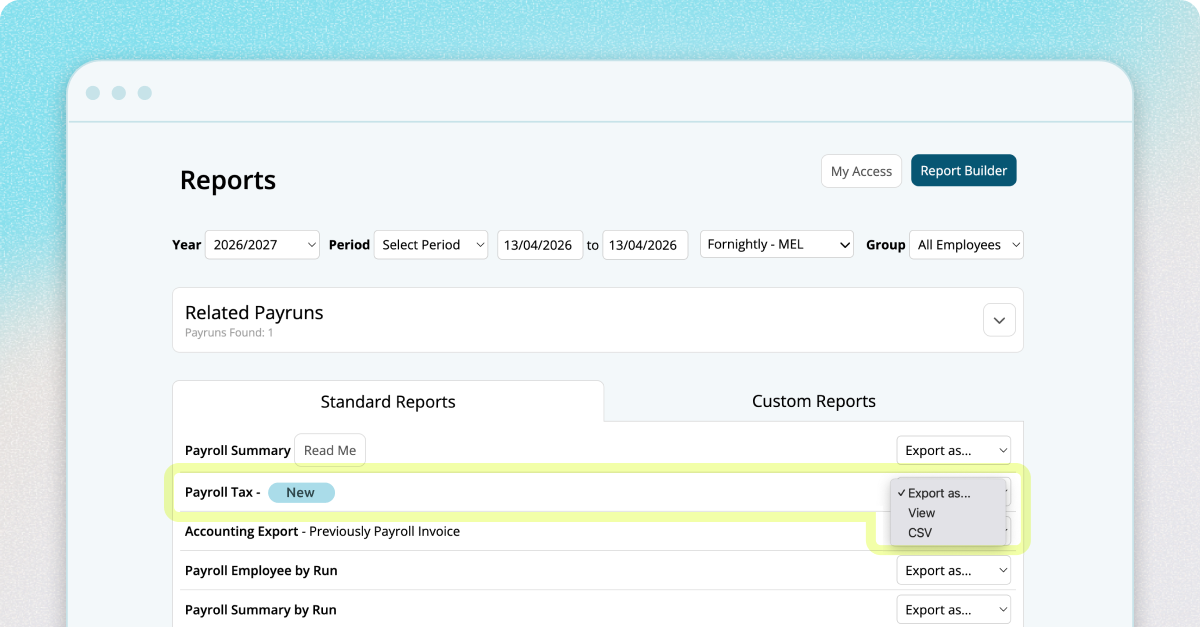
For Microkeeper clients: the same engine, running on your payrol data
The calculator above only knows what you type into it. Inside Microkeeper, the payroll tax report runs on the same underlying engine, but reads your wages straight out of your processed pay runs instead of you re-entering totals manually. It splits wages by the state each employee actually worked in, applies the same state-by-state rates, thresholds and levies, and gives you a report you can rely on for every state you operate in.
The one thing the standalone calcualtor can't do is the one that matters most if your pay runs include anything unusual. Inside Microkeeper, you can exclude specific payments from the calculation: an exempt allowance, a workers compensation payment, parental leave, instead of manually stripping them out of a total before you enter it. That's the gap the old report used to leave. The new one doesn't.
If you're already running payroll through Microkeeper, the updated payroll tax report is available now under your payroll reports. If you're not yet a customer and want to see how it fits alongside your award interpretation, STP, and super processing, book a free consultation with our team.
This blog is intended as general information only and does not constitute legal, tax or accounting advice. We recommend reviewing the relevant state legislation and seeking professional advice for your specific situation.

.png)