

Stop managing your team through Whatsapp groups. Direct messages, synced team channels, and file sharing, all inside Microkeeper, where your rostering and payroll are already live.
Most businesses default to Whatsapp groups, SMS threads, or consumer chat apps
for team communication. It works, until it doesn't.

The wrong people end up in conversations.
Important messages get buried under noise.
When someone leaves, they stay in the group.
When someone joins, they miss everything that came before.
And none of it connects to your roster,
your locations, or your actual workforce structure. Microkeeper’s messaging is different. It’s not a chat app bolted onto your HR platform. It’s operational messaging built around the same workforce structure your business already runs on, locations, managers, groups, and all.
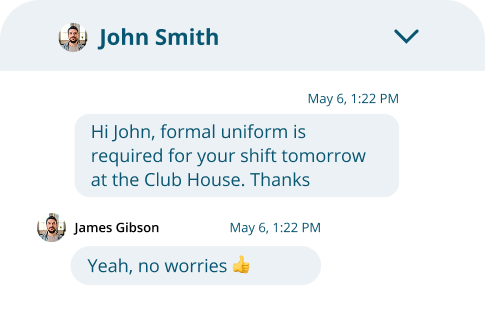

Send one-to-one messages to any staff member at your location, or any employee you manage. No phone numbers. No personal apps. Access is governed by your actual workforce structure, so only the right people can reach each other.

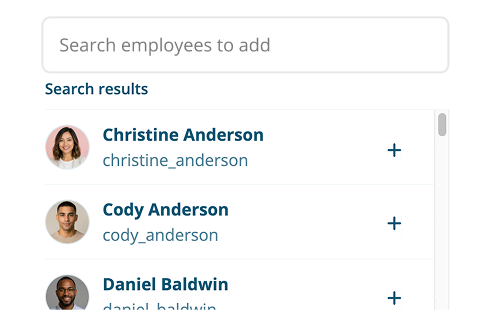
Create a group conversation for any combination of staff. Name it, select participants, and start communicating. Useful for project teams, specific departments, or any ad hoc group that doesn’t map to a permanent roster group.
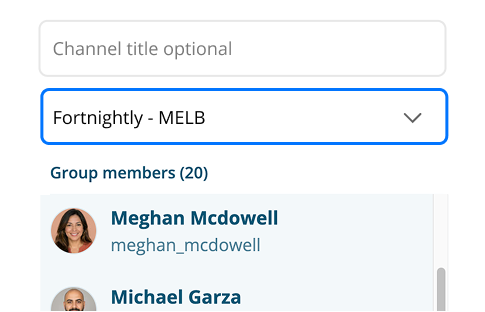

This is where Microkeeper’s messaging genuinely separates from the competition. A synced channel links directly to one of your existing Groups in Microkeeper. When staff are added or removed from that group, through your normal rostering workflow, the conversation updates automatically. No manual maintenance. No one left in a group chat they shouldn’t be in. No new starter who misses the channel because someone forgot to add them.
The right people stay in the conversation because
the channel follows your workforce, not the other way around.

Attach files up to 20MB, paste images directly into the message field, or upload from your device. Useful for sharing rosters, training materials, certifications, or policy documents, with a clear record of who received them.
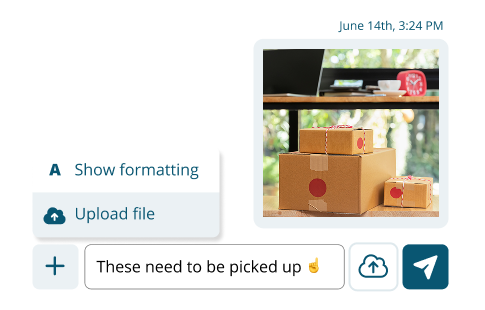
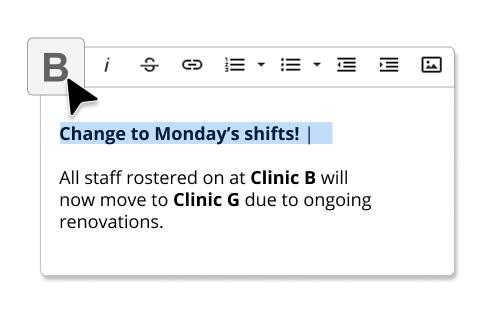

Messages support bold, italics, strikethrough, lists, and tables. Useful when you’re communicating structured information, shift briefings, compliance updates, onboarding instructions, rather than just firing off a quick note.

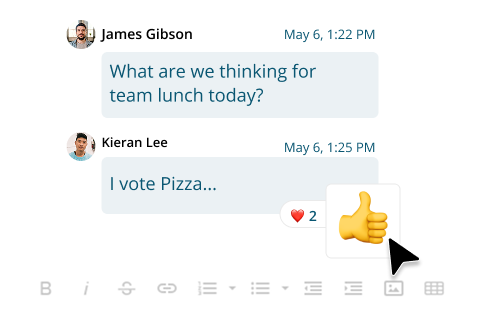
Reply directly to a specific message to keep responses in context. React with an emoji to acknowledge without adding noise to the conversation. Both matter when you’re managing a busy channel across a large team.
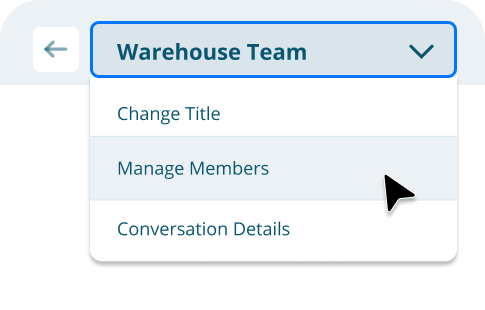

Rename conversations, add or remove participants from manual channels, and manage group membership from the conversation header. Synced channels handle membership automatically via the linked group.
Most worfkorce management platforms offer messaging. What they don't tell you upfront is what is costs to unlock the features that actually matter.
Deputy gates its best messaing features, synced group channels, extended history, and conversation controls, behind Messaging+, a paid add-on at AUD $2.75 per user per month.
Employment Hero includes Team Chat only in its most expensive plan; everyone else pays extra.
Rippling's Chat is quote-based and built for enterprise.
Microkeeper's messaging, including synced group channels, is part of the platform.

.svg)
Generic messaging tools give everyone access to everything. That works when your team is ten people in one office. It doesn't work when you're managing multiple locations, casual staff across different sites, and managers who oversee different subsets of the team.
Microkeeper's messaging is access-controlled by your actual workforce structure:


.svg)
This isn't a security feature. It's an operational one. It means your Geelong team's conversations don't get cluttered with messages from your Melbourne location.
It means a casual who pick up a one-off shift doesn't have permanent access to your management channel. It means communication stays relevant, which is the only way it stays useful.
Messaging isn't a separate app. It lives under the Messages tab in your Microkeeper employee console, the same place your staff already access their roster, timesheets, and leave.
That matters for two reasons.
First, adoption. Staff don't need to download a new app, create a new account, or learn a new interface. If they're already in Microkeeper, they're already where the conversations happen.
Second, context. When a roster change happens, you communicate it through the same platform. When a new starter joins, you message them from day one, and add them to the relevant channels as they're assigned to groups. When compliance documents need to go out, there's a clear record of who received them, all without switching tabs. who pick up a one-off shift doesn't have permanent access to your management channel. It means communication stays relevant, which is the only way it stays useful.


No workforce-based access controls, no file management, no connection to your roster or payroll. Staff take the group with them when they leave. You have no control over who's in it.
.svg)
One-to-one only, no group structure, no searchability, no file sharing. Works for individual follow-ups, not for team communication.

Effective for formal communication, not for operational conversations where speed and context matter.

Costs extra. Microkeeper's synced group channels are included.

Another login. Another tool to manage. Another app for staff to ignore.
Microkeeper is already managing your workforce.
Now it's where your team talks.
HR, rostering, timesheets, payroll, and now messaging.
One platform, no switching, no extra apps, no add-on costs
to unlock the features that actually matter.

Your workforce, one system.
Microkeeper is a unified Australian solution for payroll, HR, rostering, and timesheets, trusted by businesses of every size to simplify compliance, improve efficiency, and put people first.


All rights reserved "Microkeeper" is a trademark PTY Ltd Australia.

.png)

.png)