


.svg)
.svg)


Grand Theft Auto VI finally has a release date that's stuck: 19 November 2026, on PS5 and Xbox Series X/S. It's one of the biggest entertainment launches in years, and if you run rosters, you can probably guess what comes with it: a normally quiet Thursday where a lot of people would really like the day off. That's fair enough. The problem isn't that people want the day. It's finding out too late, when the requests have already landed and the gaps need covering.
Leave Blockouts fixes that. It's a feature in Microkeeper, the Australian HR, rostering and payroll system, that lets you set the rules for high-demand dates in advance. Staff know where they stand before they hit submit, not after a manager knocks them back.
What is a Leave Blockout?
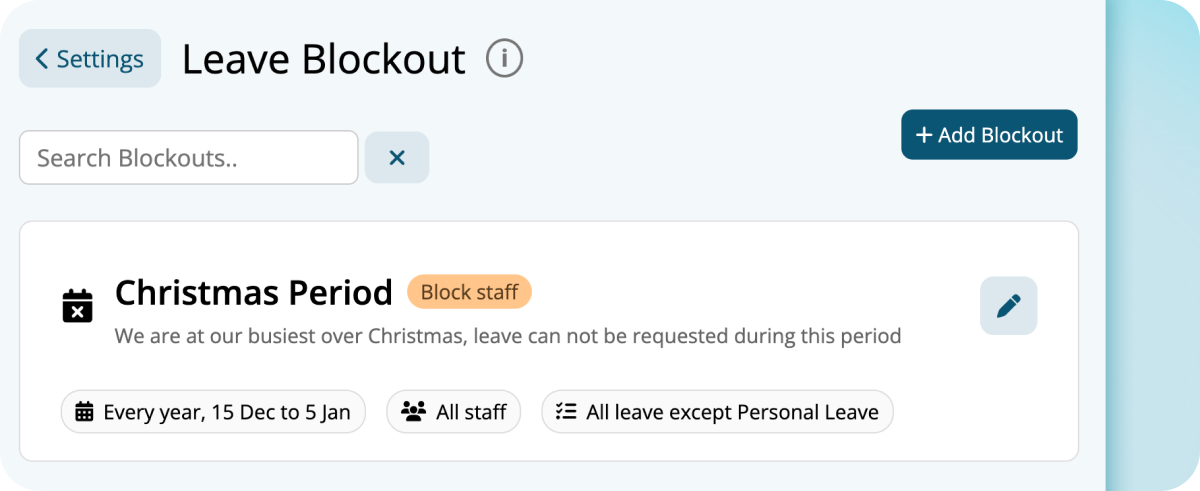
A Leave Blockout is a rule you set once against a specific date or date range. It decides what happens when someone requests leave that falls inside it. Each blockout has a title, an optional message explaining the reason to staff, and a severity level that sets how firmly it applies. You can start from a pre-built template or build your own.
How do the severity levels work?
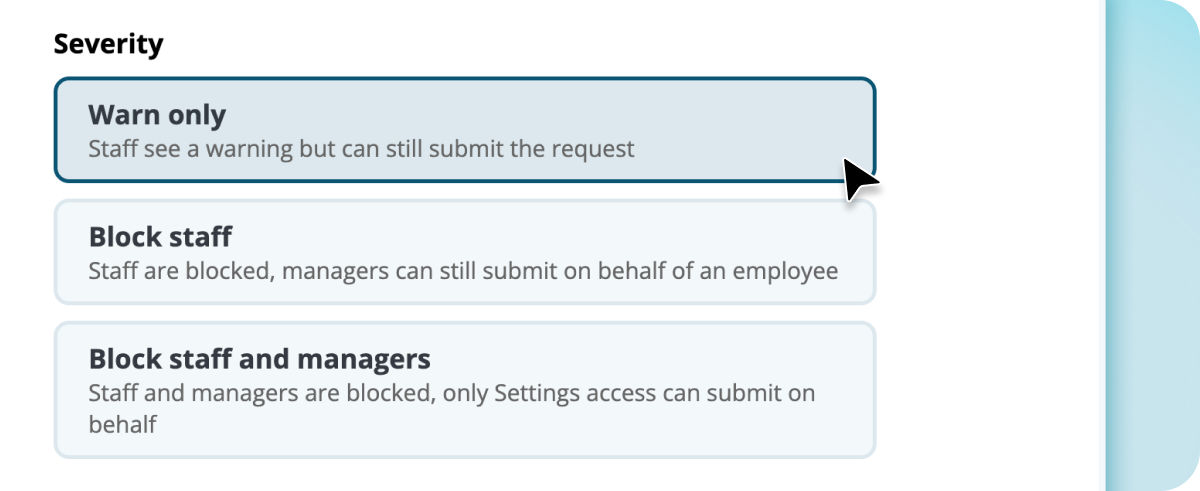
There are three levels, which is what makes Blockouts useful for more than a hard lockdown.
- Warn only. Staff see a heads-up when they try to book leave on that date, but the request still goes through. Use it when you want visibility, not a fight.
- Block staff. The employee can't submit the request, but a manager can still override it if there's a genuine reason.
- Block staff and managers. Locked down completely. Only admins can make an exception.
For GTA VI launch week, we'd recommend Warn only. Nobody wants to be the employer who banned a video game. A friendly "heads up, we're expecting this date to be tight" before people submit is a fair way to manage a predictable rush without being heavy-handed. Save the stronger levels for dates that really matter to your business, like stocktake, a major trading day or a site shutdown.
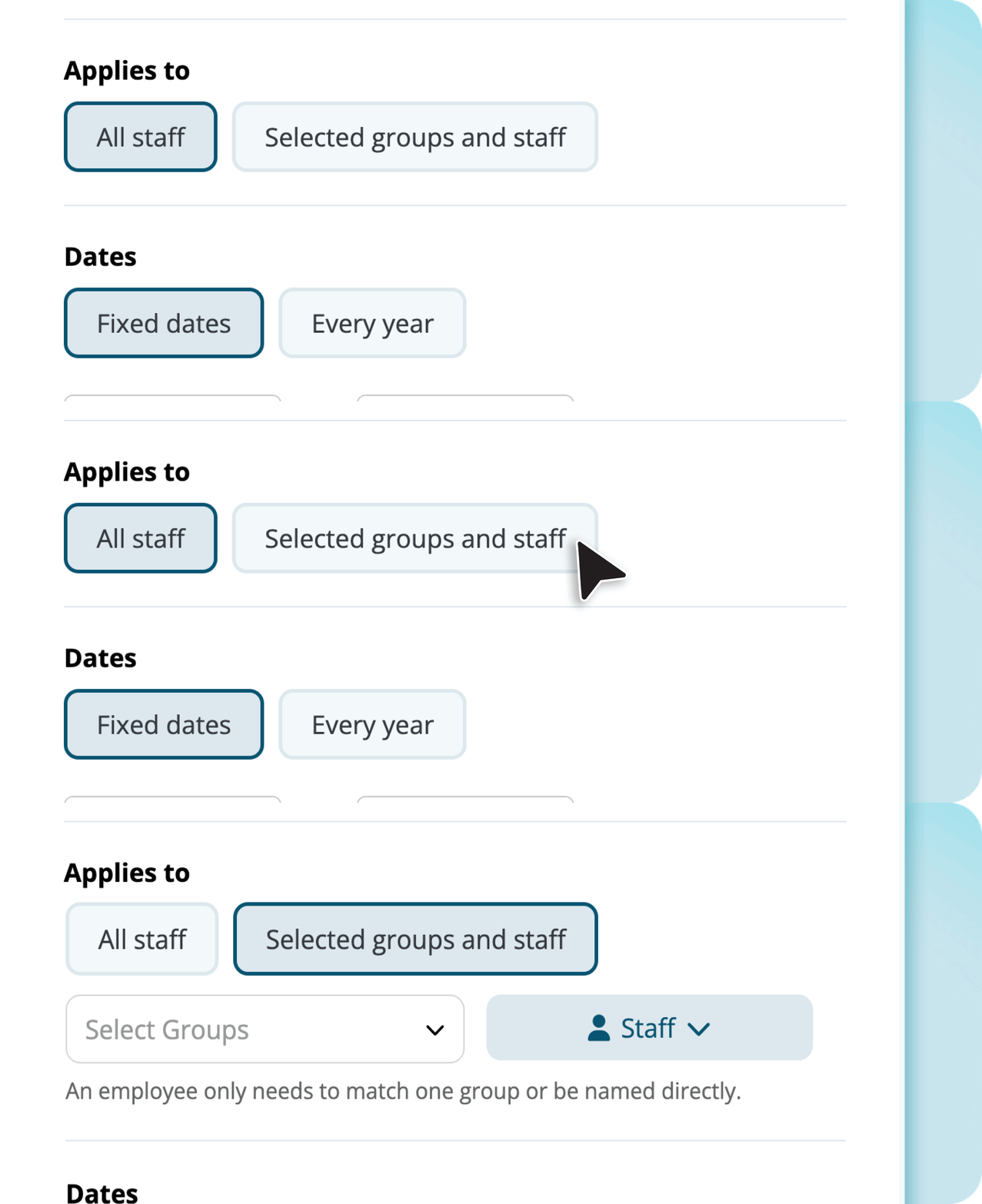
You can apply a blockout to everyone or to specific groups and individuals. You can also limit it to certain leave types, or apply it to every type except personal leave. If more than one blockout applies to the same request, the strictest one wins.
Why does it work better inside your rostering system?
Most businesses handle busy dates with a policy email, a note in the staff room or a manager saying no after the request comes in. The trouble is that the rule lives somewhere different from where people actually ask for leave.
In Microkeeper, leave requests, rosters and payroll all run on the same system. So the blockout appears at the exact moment someone submits a request, in the same app they use to check shifts and payslips. Managers reviewing requests see the rule and the roster in the same place. Nothing needs to be cross-checked against a spreadsheet or a separate HR tool.
Which other dates should you set up?
GTA VI is this year's example everyone will relate to, but the same feature covers every predictable pinch point on the calendar:
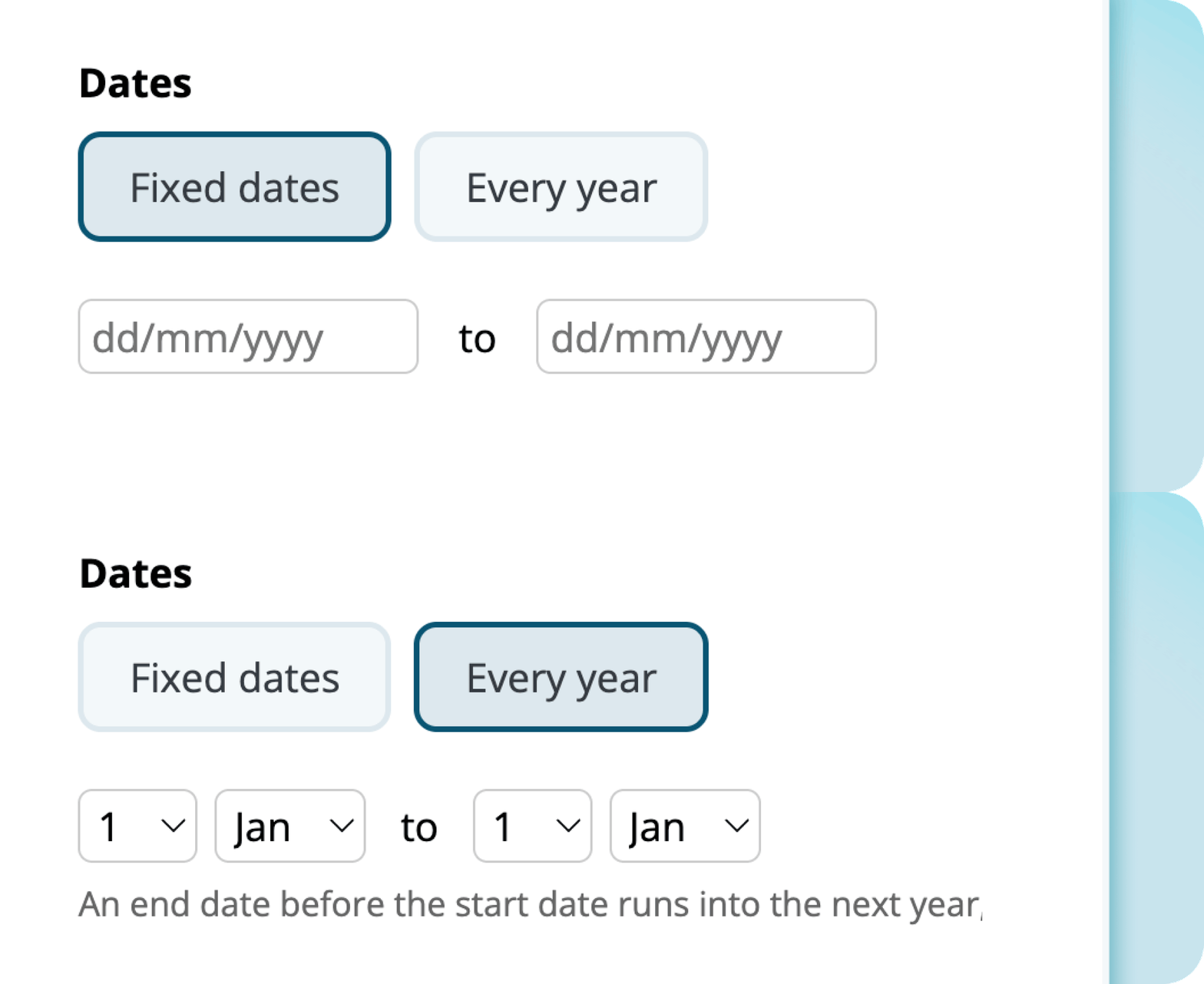
- Christmas and New Year trading for retail and hospitality. Blockouts can repeat every year, so you only build this once.
- Stocktake and EOFY, which matter in almost every industry.
- Black Friday and Boxing Day sales, with the same pressure on retail rosters.
- School holidays for childcare, education and retail.
- Melbourne Cup Day, which lands on 3 November this year, just over two weeks before GTA VI. Spring is shaping up as a run of dates worth planning for.
Does this affect payroll or leave that's already been approved?
No. Blockouts only apply to new requests as they're submitted. They don't touch payroll, and they can't change or cancel leave that's already been approved. They shape what happens next. They don't undo what's already agreed.
Want to see how it works?
Leave Blockouts is one part of Microkeeper's HR software, alongside leave management, onboarding, employee documents and rostering, all on the same system as your payroll.
Book a free consultation and our Australian-based team will show you how it would work for your busy dates.
Already a Microkeeper client?
You'll find it under Menu > HR > Leave Review > Blockouts. Users with Settings access can create, edit or deactivate blockouts. Staff with Leave access can see the active ones, so there are no surprises on either side. Want a hand setting up your first one before 19 November? Our support team is real people, not a chatbot, and you can reach them by phone or ticket.

.png)
.png)


