Most HR systems require juggling separate logins for documents, leave, messaging and payroll, and re-entering the same employee details in each one.
Microkeeper’s HR module runs on the same system as your rostering and payroll, so a document, a leave balance or a shift shows up the same way everywhere, because it’s the same record.
That’s not just convenient, it has real teeth. A critical document can be set to block someone from clocking on until they’ve signed it. Leave accrues the way your actual policy works, not a generic annual/sick split. Nothing here is a bolt-on integration.



Recruit without leaving Microkeeper.
Post roles, track applicants and manage interviews through our Teamtailor and Manatal integrations, then bring a successful candidate straight into onboarding,
no re-entering their details in a separate system.
Discover our recruitment tools →
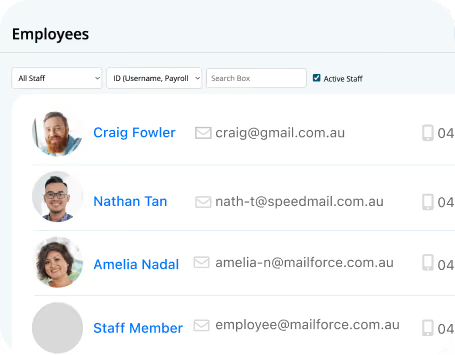
Get new hires productive from day one.
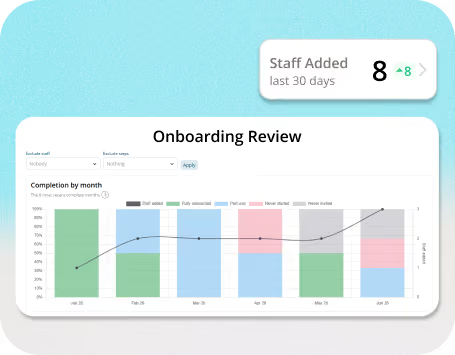
New starters complete onboarding digitally: TFN, bank and super details, policy sign-off, required training, and it all flows straight into HR and payroll with no double entry. Managers get Onboarding Review to check progress and sign off before day one arrives.
Discover our onboarding tools →

Every documet had a home, and the right level of control.
Store contacts, policies and certifications centrally, or file documents against one employee’s record with Personal Files.
Set who needs to just see a document,
who needs to sign it, and which signatures are critical enough to gate clocking on.
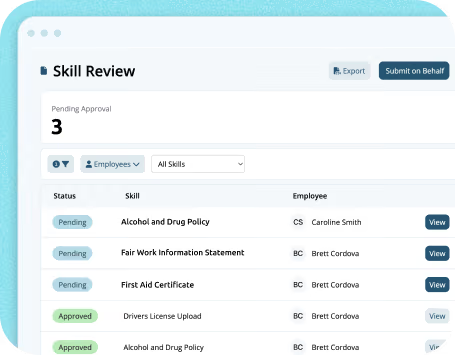
Skill Review tracks licenses and certifications with automatic expiry reminders across your whole team. Both document builders have an AI assistant to help you build your templates.
Discover our HR documents & Personal Files →

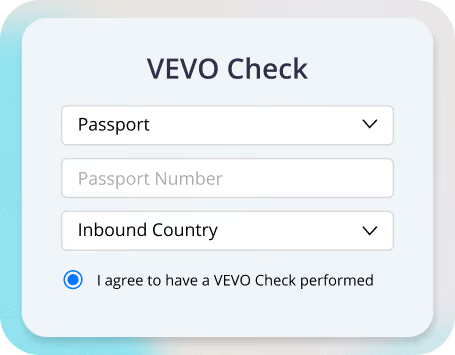
Verify working rights without leaving the platform.
Run VEVO checks directly from Microkeeper, store results against the employee record, and get flagged automatically if something changes.
Discover our VEVO checks tool →
Leave that matches your actual policy, not a generic default.
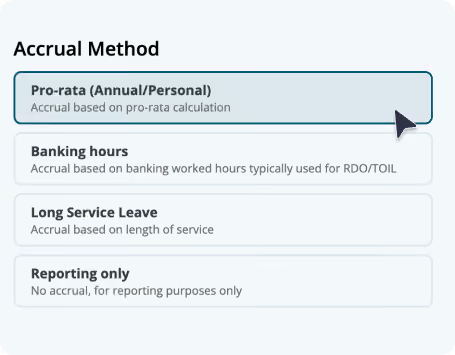
Employees request leave in a few taps; managers approve or decline instantly, and it syncs straight to rosters and payroll. Administrators choose from four accrual methods and set access rules and offboarding treatment for each leave type,
so the system reflects how your business really runs leave, not a one-size-fits-all template.
Discover our leave management tools →
.svg)
A clearer view for the people approving leave.
Managers get an updated Leave Review screen built around what they actually need to decide fast: who’s asked for what, how it affects coverage, and what’s already been approved around it.
.avif)

Get ahead of dates that always cause a leave-request spike.
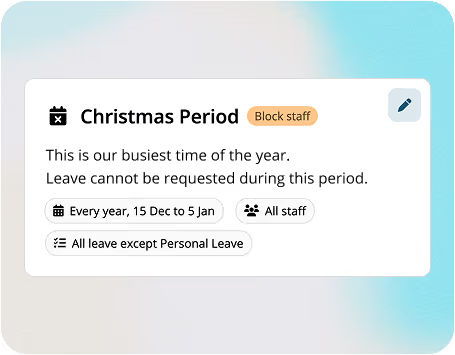
Set a Leave Blockout against any date or recurring period, Christmas trading, EOFY, a stocktake, a major event, and choose how firmly it applies. It only affects new requests, approved leave and payroll aren’t touched.
.svg)
Fewer questions land in HR’s inbox.
Staff can update their own details, view past payslips, check upcoming shifts and manage availability, all from the same self-service portal.
Discover our Employee app →
.avif)

No more Whatsapp groups or SMS threads.
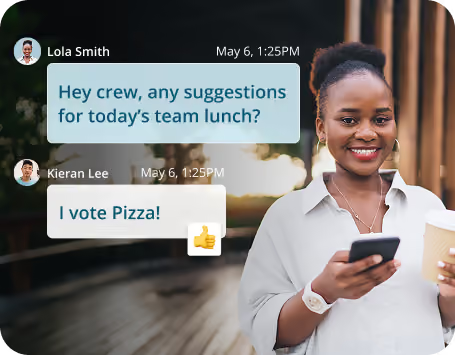
Message any staff member directly or create group channels that stay in sync automatically with your roster groups, and share files up to 20MB, inside the same platform as your roster and payroll, not a bolt-on app.
Run VEVO checks directly from Microkeeper, store results against the employee record, and get flagged automatically if something changes.
Discover work messaging→
One screen for the whole
HR picture.
The HR Dashboard surfaces upcoming leave and roster gaps, key HR tasks and expiries, and shift auctions and availability in real time, so you catch a staffing or compliance issue while it’s still small.
Discover out our HR Dashboard→

Most “all-in-one” HR platforms are several acquired products connected by integrations. Microkeeper isn’t; HR, rostering, timesheets and payroll are built on the same data from the ground up. That’s the difference between a leave request that “syncs” to payroll overnight and one that’s already the same record payroll reads from. It’s also what makes things like a document gating a clock-on possible: that needs HR and time-and-attendance to genuinely be one system, not two systems talking to each other.

Whether you’re a single site or running multiple locations across different awards and a mixed casual/part-time/full-time workforce, the same system scales with you, no swapping platforms as you grow.

Clear communication and self-service access to rosters, leave and pay reduce day-to-day friction and give employees more visibility into their own work life.

HR teams work from the desktop app or browser; employees use the mobile app for self-service; managers can approve leave and check reports on the go.
Experience the freedom of accessing employee records, job offers, agreements and contracts anytime, anywhere.
Our clients use Microkeeper to improve compliance, cut paperwork and simplify workforce management.
"The transfer of 500 employees from in-house server to Microkeeper was smooth and fast. The support team is based in Australia and responds to requests within minutes.”

"I have started playing with the Skills feature and can see so much potential for our needs. Now I can use the spare time saved by using the tool for other tasks.”

"It’s a great timesaver. We use it for all employees, they can be easily added to the system, update their information, clock on and off and check their payslip - all in one place."

"As an admin but also an employee, my favourite feature is the messaging tool on the app. This allows us to send group messages to staff.”

Microkeeper’s HR module covers the whole employee life cycle: recruiting, onboarding, documents and compliance, leave, communication and reporting, running on the same system as your rostering and payroll. No stitching required.


Your workforce, one system.
Microkeeper is a unified Australian solution for payroll, HR, rostering, and timesheets, trusted by businesses of every size to simplify compliance, improve efficiency, and put people first.


All rights reserved "Microkeeper" is a trademark PTY Ltd Australia.