


.svg)
.svg)

.png)
Choosing rostering software in Australia comes down to a few practical questions. Can it build a roster quickly around availability, leave and qualifications? Does it keep an eye on wage costs and break rules while you build? And does the roster connect to timesheets and payroll, or does someone have to re-key it all on Thursday afternoon?
This guide compares seven rostering options Australian employers shortlist most often: Microkeeper, Deputy, Tanda, Humanforce, RosterElf, Employment Hero and ShiftCare.
The short answer, by business type:
- Best all-in-one for shift-based teams that want rostering, timesheets, HR and payroll on one price: Microkeeper
- Best known all-rounder for hospitality and retail: Deputy
- Best known for forecasting demand and linking rosters to sales data: Tanda
- Best for large frontline and healthcare organisations: Humanforce
- Best low-cost rostering for small and mid-sized teams: RosterElf
- Best if you already run Employment Hero payroll: Employment Hero
- Best for NDIS, aged care and community care providers: ShiftCare
What we mean by “rostering software” in this guide
Rostering software helps you plan who works when. It covers building rosters, collecting staff availability, publishing shifts to an app, handling swaps and open shifts, and keeping an eye on labour cost. Many tools also include clock-in, timesheets and payroll links, and we’ve noted where those come built in and where they’re separate products or integrations.
What we looked at when comparison rostering software
We compared each option on five things that matter to Australian employers:
- Roster building: how fast you can build and change a roster, including templates, availability and open shifts.
- Compliance and award awareness: breaks, minimum shift lengths and how pay rules show up while you roster.
- Connected workforce data: whether clock-ins, timesheets and payroll run on the same data as the roster.
- Real cost: the headline price plus minimums, add-ons and per-module charges.
- Fit by industry: who the product is really built for.
Quick comparison: rostering software at a glance
Pricing is as shown on each vendor's public pages in October 2026.
1. Microkeeper
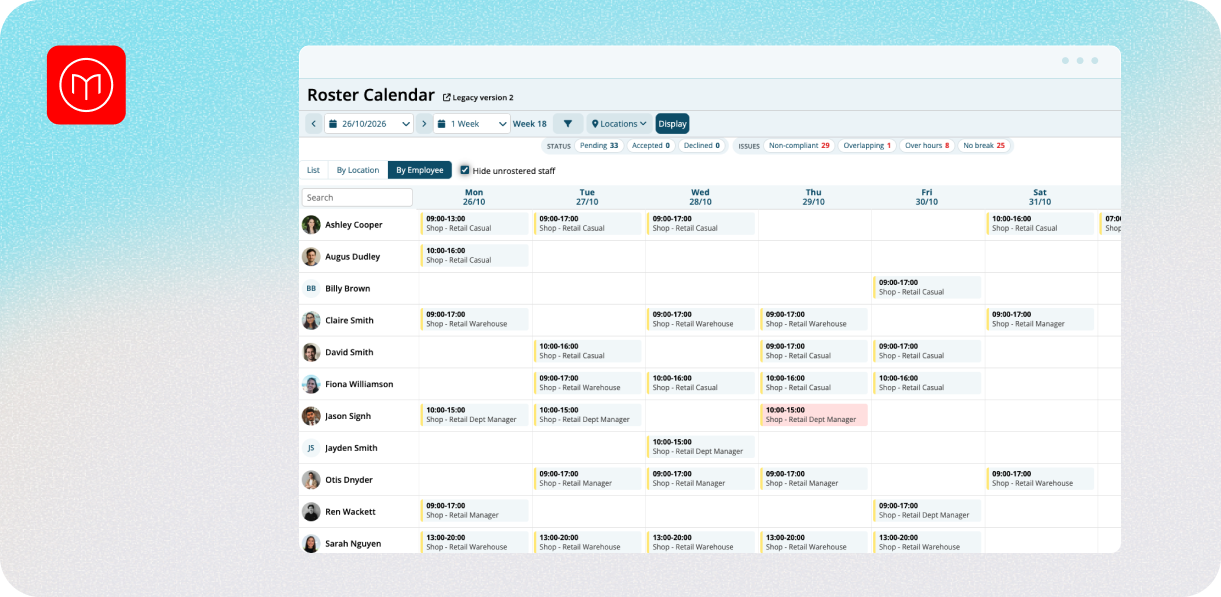
Best for: Australian employers with hourly, shift-based or multi-site teams who want rostering, timesheets, HR and payroll in one system.
Where it fits
Microkeeper is an all-in-one workforce platform built in Geelong, Victoria. Rostering runs on the same data as timesheets, HR and payroll, so a rostered shift becomes a clocked shift and then an approved timesheet without anyone re-entering. Leave, availability and skills sit in the same record as the roster, so the information you need to build a safe roster is already there.
Key features
- Roster templates for repeating patterns, so you aren’t rebuilding the same week from scratch.
- Multi-location employee scheduling across sites from a single view.
- Job and availability tracking, so you can see who’s free, on leave or already allocated.
- Break compliance checks while you build.
- Shift bidding, where staff can put their hand up for open shifts.
- Roster Cycles for rotating patterns, available on Enterprise plans.
- Leave Blockouts to protect your busiest days on the roster.
- Clock-in options, including mobile, kiosk and facial recognition and other clocking hardware.
Pricing
The Standard plan, which covers HR, rosters, timesheets and payroll, is $6 per user per month. Enterprise is quoted per case. See current pricing.
Pros
- Rostering, timesheets, HR and payroll on one platform and one price, with no add-on tiers.
- Onshore support by phone and ticket, with no chatbots.
- Data stored in Australia, and Microkeeper is ISO 27001:2022 compliant.
- Strong fit for multi-site and multi-ABN groups, with industry setups for hospitality, retail, healthcare, cleaning and more.
Cons
- Microkeeper currently doesn’t have a prebuilt modern awards library. Pay rules are configured during setup, which suits employers with specific conditions but takes more upfront work than a plug-and-play award engine.
- Rostering is built around templates, availability and shift bidding. If you want predictive rostering driven by live sales data, Tanda is built for that.
- Roster Cycles are an Enterprise feature.
- Fewer native third-party integrations than some larger competitors, though an open API is available.
- Some larger competitors have more polished interfaces.
- Not the best fit for sole traders or micro-businesses with no staff.
Good fit if
You roster hourly or shift-based staff across one or more sites and want the roster, the clock-in, the timesheet and the pay run to share one set of data.
2. Deputy
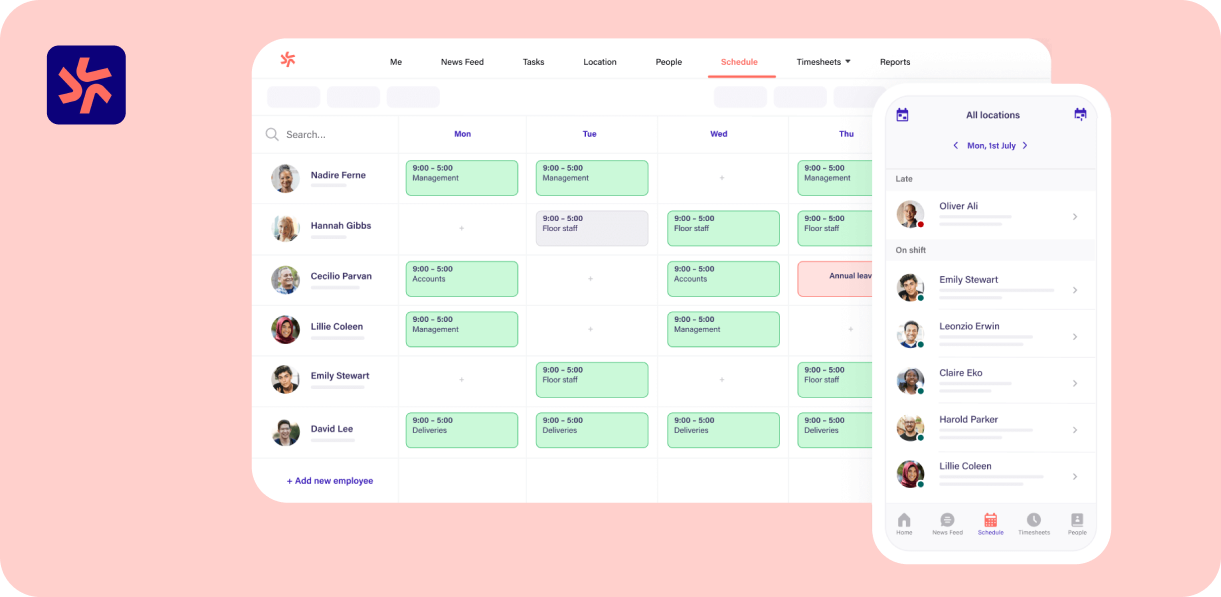
Best for: Hospitality, retail and service businesses wanting a well-known, mobile-first rostering app.
Where it fits
Deputy is one of the most widely used rostering apps in Australia, with more than 390,000 workplaces claimed across hospitality, retail, healthcare, cleaning, security, construction and more. Payroll and HR are sold as add-ons, so you can start with rostering and add the rest later.
Key features
- Auto-scheduling that works to priorities you set, such as lowest cost or an even spread of hours, while respecting availability, training and limits like minimum rest between shifts.
- Shift swaps, leave management and mobile scheduling from any device.
- Award interpretation on every plan, with advanced award interpretation from Core.
- Clock-in by iPad kiosk with facial verification, geofenced mobile clock-in with a GPS stamp, and an offline kiosk mode.
- Integrations with many payroll and accounting products (including Xero, MYOB, QuickBooks and Reckon) and POS systems such as Square, Shopify and Lightspeed.
- Security certifications listed include ISO 27001 and SOC 2 Type II, with data hosted on AWS in Australia, the UK or the US.
Pros
- A familiar product with a strong mobile experience for staff and managers.
- Tiered pricing, so small teams can start on a lower plan.
- A wide range of payroll and POS integrations.
- Its optional payroll add-on can run multi-entity and multi-ABN payroll from one account.
Cons
- Payroll ($5) and HR ($3.50) are add-ons, so the full-suite cost rises per user.
- A $30 minimum applies per monthly invoice, annual plans can't be reduced mid-term, and SMS is charged separately.
- Some of the more useful features sit in higher tiers, including biometric clocking and advanced awards from Core.
Pricing
Lite is $6.75, Core $8.75 and Pro $13 per user per month. Payroll is a $5 add-on and HR a $3.50 add-on, with an All-in-One bundle (Core, Payroll and HR) listed at $13.95. See Deputy's pricing
Good fit if
You run a hospitality, retail or service business, want a familiar rostering app and are happy to add payroll and HR as separate modules.
3. Tanda
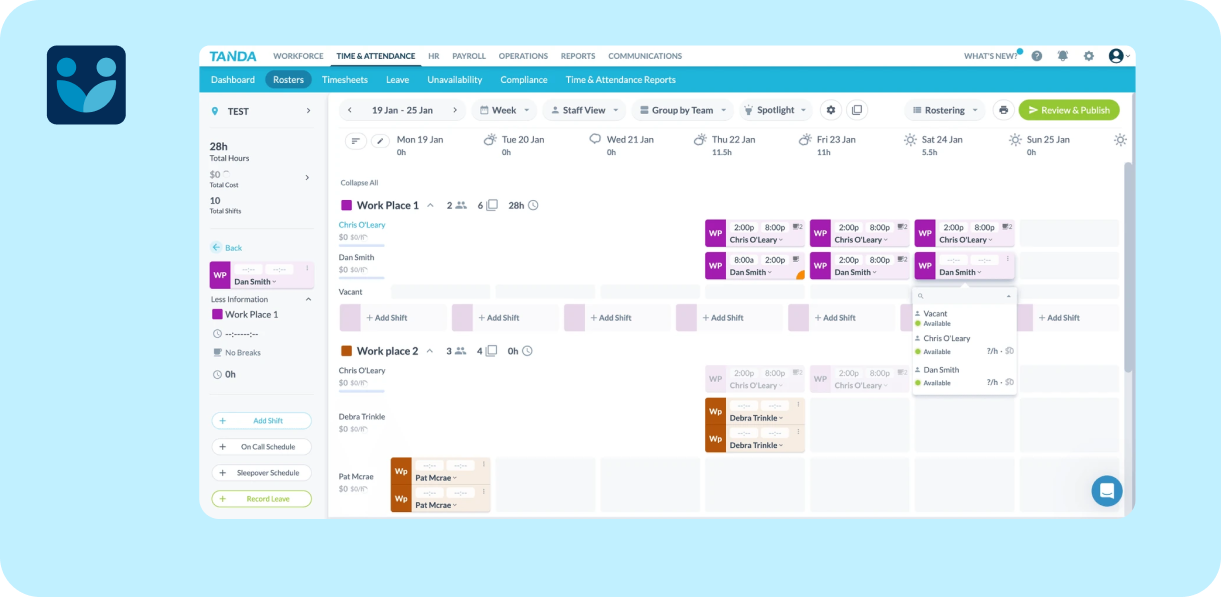
Best for: Hospitality, retail, healthcare and franchise businesses that want rosters shaped by demand.
Where it fits
Tanda is an Australian workforce management product built around the idea that rosters should follow trade. It sells workforce management (rostering, clock-ins and timesheets), payroll and HR, and targets hospitality, restaurants, retail, grocery, pharmacy, healthcare, early learning, clubs and franchises.
Key features
- Demand-based rostering that uses live point-of-sale data, with a Modern Award template library maintained by Tanda's compliance team.
- Roster cost shown as you build, so managers can see wage cost against budget.
- Shift swapping, leave management, break and overtime compliance and an employee mobile app.
- An AI-assisted Scheduling Agent.
- Payroll and HR modules that sit on the same data as the roster.
Pros
- Rostering to forecast demand is a clear strength for businesses with variable trade.
- Live roster cost helps managers stay inside budget.
- A single product for rostering, payroll and HR for hourly staff.
Cons
- Best value comes from using the full suite.
- Per-user pricing can add up quickly for large casual or high-turnover workforces.
- Higher-tier HR tools and advanced features are often locked behind more expensive plans.
Pricing
The all-in-one workforce management, payroll and HR bundle is listed at $12.80 per user per month plus GST. See Tanda’s pricing.
Good fit if
Your trade moves with sales or footfall and you want rosters that respond to it.
4. Humanforce
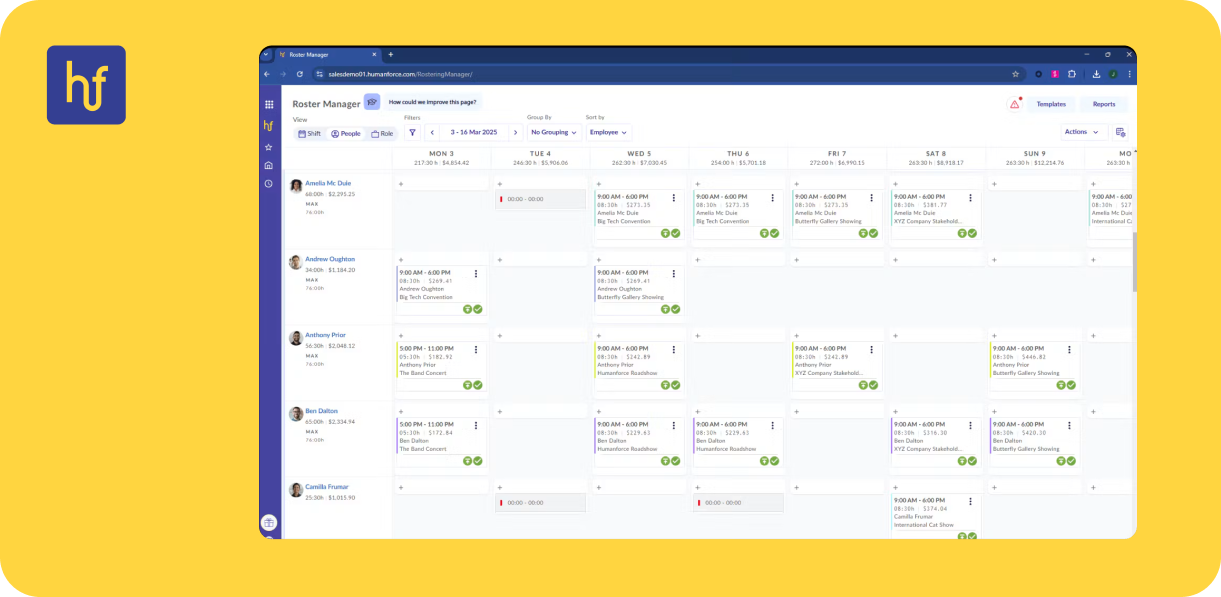
Best for: large frontline organisations, particularly in healthcare, aged care and multi-site operations.
Where it fits
Humanforce is a workforce management suite for frontline employers. Its platform covers workforce management, HR, talent, learning and analytics. It lists hospitality, healthcare, retail, aged care, education and childcare, local, government and security among its industries.
Key features
- Auto-scheduling from previous work patterns, qualifications and availability, with templates and demand forecasting.
- An award interpretation engine covering Australian modern awards, enterprise agreements and enterprise work agreements, with alerts on potential compliance issues at payroll validation.
- Shift bidding, shift swapping and shift acceptance through the mobile app and SMS.
- Real-time cost visibility as shifts are built.
- Clocking by GPS, biometrics or app, with timesheets calculated for payroll.
- A connected suite of HR, Talent (recruitment) and Benefits products on the same platform.
Pros
- Built for complex rostering, such as qualification-based and multi-site frontline rosters.
- Strong award and EBA handling, which matters in healthcare and aged care.
- A wider suite beyond rostering, from HR through to recruitment.
Cons
- Pricing isn’t published, so you’ll need a sales conversation to compare.
- Aimed at larger organisations, which can mean more setup than a small team needs.
- Not a standalone product, so during setup you might need to communicate with separate teams.
Pricing
Custom pricing. See Humanforce.
Good fit if
You run a larger or complex frontline workforce with awards or enterprise agreements and want a vendor built for that scale.
5. RosterElf
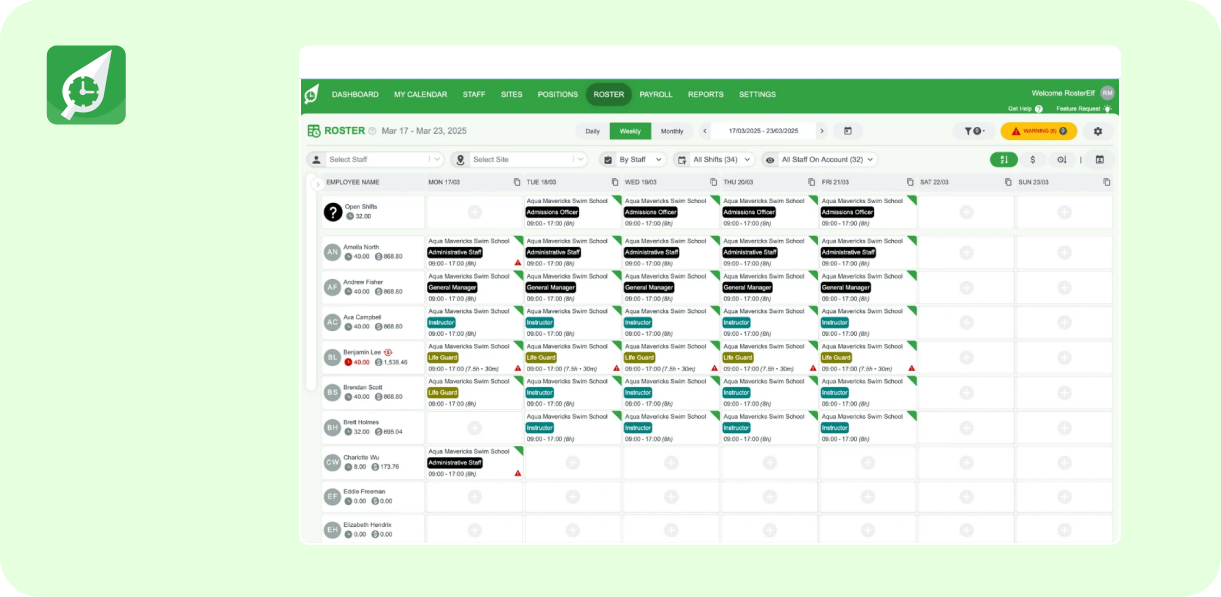
Best for: small and mid-sized shift-based teams wanting low-cost rostering.
Where it fits
RosterElf is a 100% Australian-owned rostering product with a lean per-user price. It says it serves shift-based small and mid-sized businesses such as fitness, retail and fast food chains. It has a free trial and no lock-in contracts.
Key features
- Perfect Match, an auto-scheduling tool that fills a roster using availability, skills, qualifications, labour cost and workload. Managers can review and override, and RosterElf says it won’t suggest staff who would breach configured award conditions.
- Staff availability, leave, shift swaps and open shifts handled in the app, with the system checking skills and overtime risk before approval.
- Live labour budgeting with overtime and penalty warnings, and seven pre-publish roster checks. Warnings don't block publishing.
- A tablet time clock, GPS and geofenced clock-in and selfie photo proof.
- Award rules and enterprise agreements configured in a pay rate builder, with one-click export to Xero or MYOB.
- A Full Suite plan that adds HR: onboarding, contracts, policies and compliance tracking.
Pros
- One of the lowest published entry prices for rostering.
- Quick to set up, with free onboarding and Australian-based phone support on weekdays.
- Australian data hosting on AWS Sydney.
Cons
- No payroll engine. Payroll is an export to Xero or MYOB, so pay runs happen elsewhere.
- Billing counts every active employee profile, and annual billing has a 10-seat minimum.
Pricing
Core is $6 per user per month on annual billing, Full Suite (Core plus HR) is $7, and HR alone is $3, all excluding GST. Monthly billing is $8, $10 and $4. A flat rate of $10.60 per rostered staff member is also offered. See RosterElf's pricing.
Good fit if
Price matters most, you already have a separate payroll system and your team is under 200.
6. Employment Hero
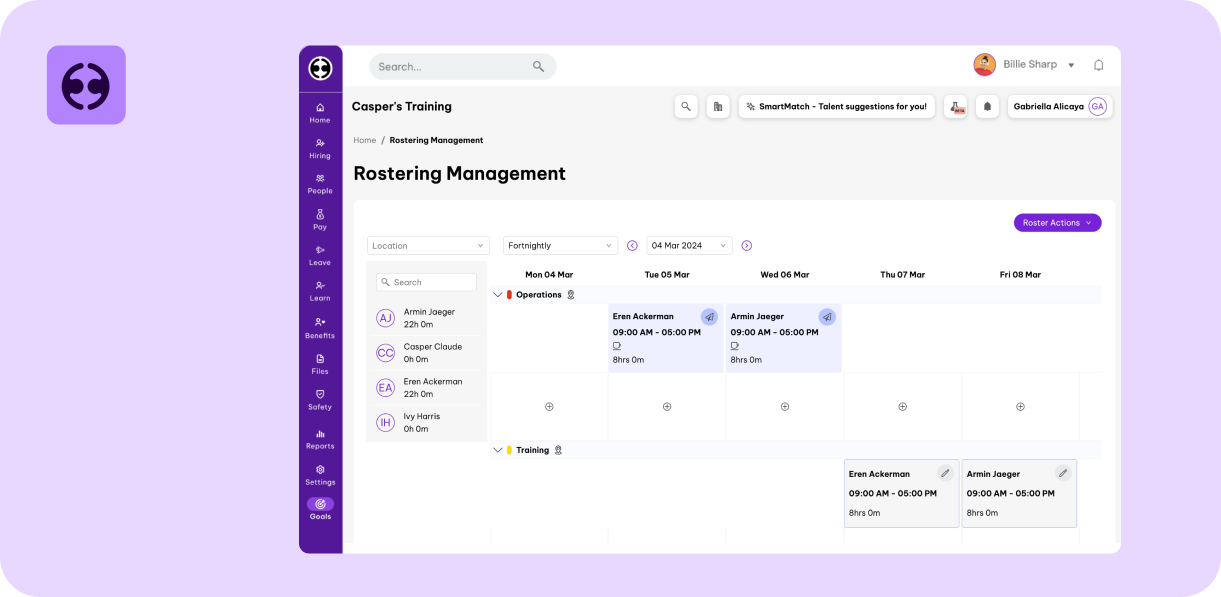
Best for: businesses already running Employment Hero for HR or payroll.
Where it fits
Employment Hero's Rostering and Time and Attendance is an add-on to its wider platform. It's aimed at any business that runs on shifts, with retail, restaurants, hotels, hospitals, call centres and care facilities named. Because it shares data with Employment Hero's HR and payroll, it's most useful if you're already inside that ecosystem.
Key features
- Drag-and-copy roster building, roster templates and multi-site rostering from one place.
- Shift bidding and swapping through the rostering app, with swaps limited to eligible colleagues.
- Automatic shift costing based on awards or rule sets, with roster wage cost compared to budget before publishing.
- Warnings for overtime, meal breaks and maximum work hours, and detection of public holiday rates and unavailability.
- Hero Time Clock and a timesheet view that compares rostered shifts to actual hours before approval.
- Hours, overtime and leave that sync into the pay run when paired with payroll.
Pros
- Convenient and inexpensive if you’re already on Employment Hero.
- Shift costing and budget comparison built into the roster.
- Rostered hours and timesheets sit on the same platform as HR.
Cons
- Rostering and time-and-attendance are often billed as an add-on (such as $4/mo per user) rather than being included natively in lower-tier HR plans.
- Users note that the system misses advanced or basic batch functions like bulk shift allocations, bulk break configurations, and direct CSV/Excel roster upload capabilities.
- Clock-in rules, break times, and contract configurations can feel restrictive, especially when moving away from standard awards to complex Enterprise Bargaining Agreements (EBAs).
Pricing
The rostering add-on is $4 per employee per month with a $40 minimum, on top of the platform. Payroll is a further $10 per employee per month. See eEmployment Hero’s pricing.
Good fit if
You already use Employment Hero, run a single payroll and need rostering that connects to it.
7. ShiftCare
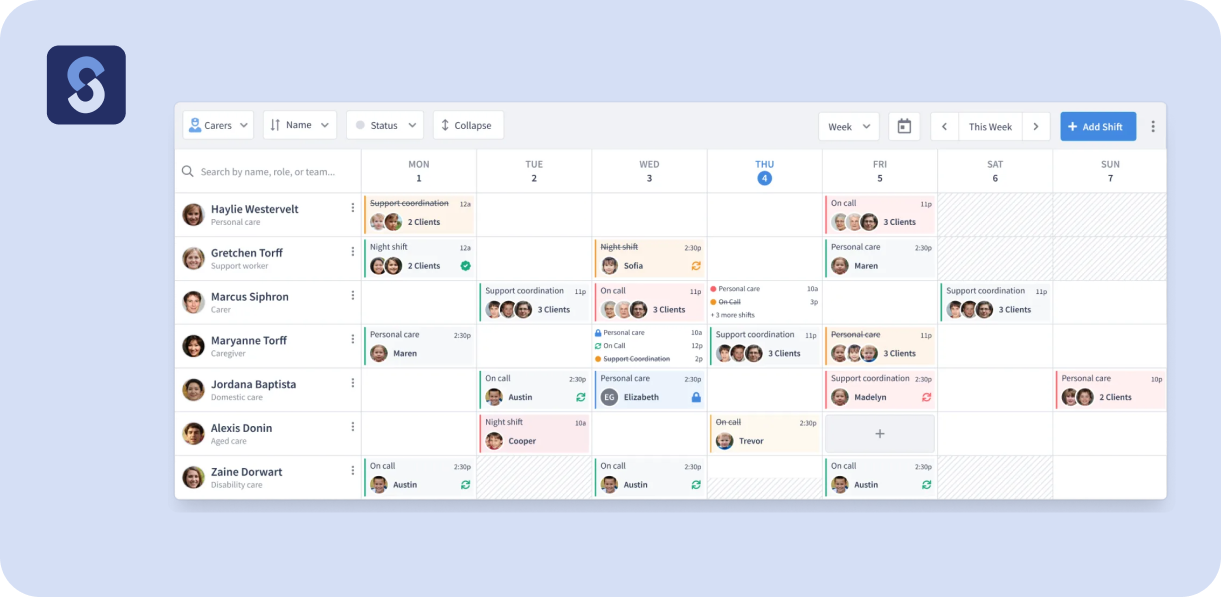
Best for: NDIS, aged care, home care and allied health providers.
Where it fits
ShiftCare is built for care providers. Its plans combine rostering with client scheduling, NDIS billing and care documentation, and it claims more than 8,000 agencies. Its features are sector-specific, so it's a narrower fit for general business than the other products here.
Key features
- Rostering with GPS-verified clock-in and offline caregiver app, plus a mobile Admin app for managers.
- SCHADS award interpretation.
- NDIS-focused billing: price limits, bulk invoicing and claim file uploads, with direct NDIA claims through PRODA on Premium.
- Progress notes (including AI-assisted notes), incident reporting, care plans with eMAR on Premium and a Family Portal.
- Staff certification tracking with expiry alerts, as a paid add-on.
- Integrations with Xero, MYOB, QuickBooks Online and Employment Hero payroll.
Pros
- Built around how care providers actually work, from rostering through to NDIS claims.
- Clear tiered pricing with a 7-day free trial.
- Strong sector tooling such as incident reporting and the family portal.
Cons
- Built for the care sector, so it’s a poor fit for any other industry or general business.
- A minimum of 5 staff applies, and anyone with a login counts.
- Several of the most useful features, including NDIA claiming and the Family Portal, are Premium only, and HR and Certifications cost extra unless you’re on Enterprise.
Pricing
Basis is $8 per user per month on annual billing ($9 monthly), Professional $13 ($15) and Premium $20 ($25), all excluding GST. HR is a $2 add-on and Certifications a $3 add-on. See ShiftCare’s pricing.
Good fit if
You provide NDIS, aged care or allied health services and want software shaped for that work.
How to choose the right rostering software for your business
How complex is your roster?
A café with eight staff needs speed and a clear view of availability. A hospital ward or a security firm needs qualifications, rotating patterns and rules about rest between shifts. Match the tool to the hardest roster you run, not the average one.
Do you want rostering tied to payroll?
When the roster, the clock-in and the pay run share data, shift changes and swaps flow through to pay without reconciliation. If your rostering tool has no payroll, ask how it exports, how often and who checks it. For a view of how timesheets fit in, see our guide to the best timesheet software in Australia.
How will you keep wage cost and compliance under control?
Look for tools that show cost as you roster and warn you about breaks, minimum shift lengths and clashes before you publish, not after. Ask each vendor to show you how its software handles your most awkward shift pattern.
What will it really cost once add-ons are counted?
Rostering is often priced per user, with minimums and separate charges for payroll, HR and advanced features. Work out the full-stack cost for your headcount before you compare.
Standalone rostering vs all-in-one workforce platforms
Standalone rostering tools can be quick to start and cheap per user. The trade-off is that timesheets, payroll and HR become separate subscriptions, each with its own login and its own cost, and the roster only helps payroll if the integration holds.
All-in-one platforms such as Microkeeper keep the roster, clock-in, leave and pay on the same data. For shift-based or multi-site teams, that usually saves more in admin time than in cost. If you’re weighing the full suite, our best workforce management software comparison looks at the broader platforms side by side.
Where Microkeeper fits in
Microkeeper suits Australian employers who want rostering that connects directly to timesheets and payroll, with one price per person and real people on the phone when something needs fixing. It isn't the right tool if you want demand forecasting from sales data, or a prebuilt award library that does the thinking for you. For mid-sized and multi-site businesses with shift-based teams, the connected data is what tends to make the difference.
If you're short-listing, pick three or four tools, check how each handles your most awkward roster, and run a trial with real shifts.
Frequently asked questions
- What is the best rostering software in Australia?
- It depends on your business. Deputy and Tanda are popular in hospitality and retail, Humanforce suits large frontline organisations, RosterElf suits budget-conscious teams, ShiftCare suits care providers, and Microkeeper suits shift-based businesses that want rostering, timesheets, HR and payroll in one system.
- What is the cheapest rostering software in Australia?
- RosterElf and Employment Hero's rostering add-on have among the lowest published per-user prices, at $6 and $4 respectively, though both have minimums and RosterElf has no native payroll. Microkeeper's Standard plan is $6 per user per month and includes HR, timesheets and payroll.
- Does rostering software handle modern awards?
- Some do, and the depth varies. Deputy offers award interpretation on every plan, Humanforce describes an engine covering Australian modern awards and enterprise agreements, Employment Hero costs shifts against awards or rule sets, and ShiftCare checks SCHADS for care work. RosterElf supports awards through a pay rate builder, with pre-built templates for one award. Microkeeper handles pay rules through configured settings set up during onboarding rather than a prebuilt library. Always test a vendor against your own award before you commit.
- Can rostering software connect to payroll?
- Yes, and it's one of the biggest time-savers. Some products include payroll natively, some offer it as an add-on, and some export to Xero or MYOB. Ask how shift changes and swaps reach the pay run.
- Do I need rostering software for a small business?
- Not always. A handful of staff on fixed hours can manage with a spreadsheet. Once you have variable shifts, multiple sites, or staff swapping and picking up shifts, software pays for itself quickly in saved time and fewer mistakes.
This blog is intended as general information only and does not constitute legal or payroll advice. We recommend reviewing the relevant legislation and seeking professional advice for your specific situation. Comparison details were checked against vendors' public pages in October 2026 and may have changed.
Want to see how Microkeeper handles your roster? Book a free consultation or try 1 month free.
More reading
The best HR software in Australia (Top 6 – 2026)
.png)

.png)


