

.svg)
.svg)

.png)
Choosing payroll software in Australia comes down to three questions. How much of the compliance load does it carry for you, from Single Touch Payroll (STP) Phase 2 to super and now Payday Super? Does payroll sit on its own, or does it share data with rostering, timesheets and HR? And what will you actually pay each month once the add-ons are counted? This guide compares six payroll options Australian employers shortlist most often: Microkeeper, Employment Hero, Xero Payroll, MYOB, Reckon and Payroller.
The short answer, by business type:
- Best all-in-one for shift-based and award-heavy teams: Microkeeper, where payroll runs on the same data as rostering, timesheets and HR
- Best if you want HR and payroll from one big vendor: Employment Hero
- Best if your bookkeeper already lives in Xero: Xero Payroll
- Best for established small businesses on MYOB accounting: MYOB
- Best for very small, cost-sensitive teams: Payroller, or Reckon if you already use Reckon accounting
What we mean by “payroll software” in this guide
Payroll software calculates what each employee is owed, produces payslips, pays super, and reports to the ATO through STP every pay run. In this guide we've leaned toward products that cover that full cycle for Australian employers, including leave, super and STP Phase 2 reporting. We've noted where a product handles payroll only, and where rostering, timesheets or HR come built in versus bolted on.
What we looked at when comparing payroll software
We compared each option on five things that matter to Australian employers:
- Australian compliance: STP Phase 2, super processing and Payday Super support.
- Award pay-rule handling: how pay conditions get set up, and how much is automatic.
- Connected workforce data: whether timesheets, rostering and HR feed payroll or need separate tools.
- Real cost: the headline price plus the add-ons and minimums you’re likely to hit.
- Support: who you reach when a pay run goes wrong.
Quick comparison: payroll software at a glance
Pricing is as shown on each vendor’s public pages in October 2026.
1. Microkeeper
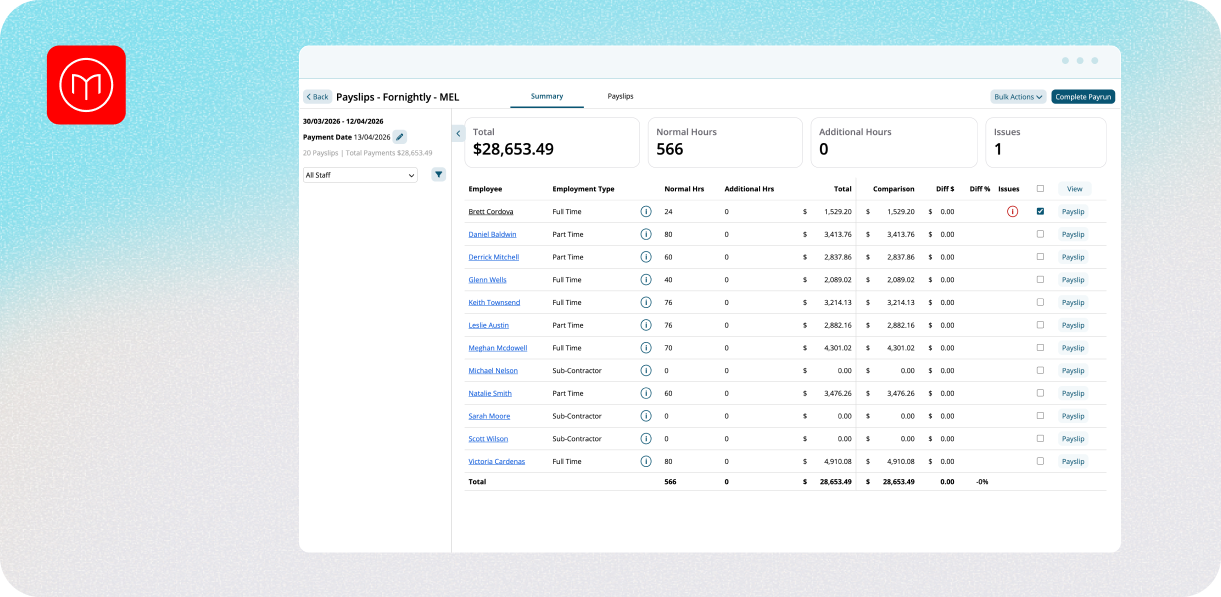
Best for: Australian employers with hourly, shift-based or multi-site teams who want payroll, rostering, timesheets and HR in one system.
Where it fits
Microkeeper is an all-in-one workforce platform built in Geelong, Victoria. Payroll runs on the same data as timesheets, rostering and HR, so approved timesheets flow into pay runs without re-keying. Payslips generate from those approved hours and reach staff through the employee app.
Key features
- STP Phase 2 reporting lodged with the ATO on each pay cycle.
- Super processing, with Payday Super processed automatically through Beam.
- A configurable payroll engine for allowances, penalty rates and pay rules, set up with your team during onboarding.
- Multi-ABN support, with access control that lets you decide which payroll team members can see and process each ABN's pay cycles.
- Advanced payroll reports with templates and a custom report builder, plus a free payroll tax calculator.
- Xero and MYOB integrations for transferring payroll data.
Pricing
The Standard plan, which covers HR, rostering, timesheets and payroll, is $6 per user per month. A payroll-only STP plan is $25 per month for up to 10 staff. Enterprise is quoted per case. See current pricing.
Pros
- One platform and one price, with no add-on tiers to unlock rostering or HR later.
- Onshore support by phone and ticket, with no chatbots.
- Data stored in Australia, and Microkeeper is ISO 27001:2022 compliant.
- Strong fit for multi-site and multi-ABN groups.
Cons
- Microkeeper doesn't ship with a prebuilt modern award library. Pay conditions are configured during setup, which suits employers with specific rules but takes more upfront work than a plug-and-play award engine.
- Fewer native third-party integrations than some larger competitors, though an open API is available.
- Some larger competitors have more polished interfaces.
- Not the best fit for sole traders or micro-businesses with no staff. A tool like Xero alone is usually more cost-effective there.
Good fit if
You pay hourly or shift-based staff, run more than one site or ABN, or want rostering, timesheets, HR and payroll without paying for each separately.
2. Employment Hero
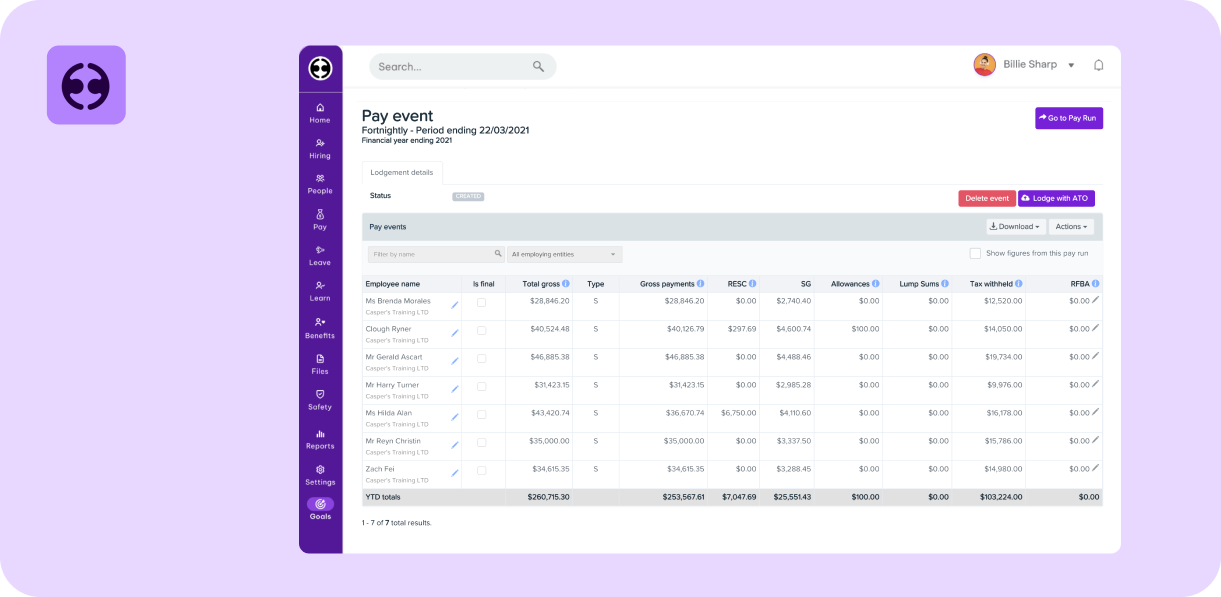
Best for: Businesses that want HR and payroll from one large Australian vendor.
Where it fits
Employment Hero's payroll is part of a wider platform that also covers HR, hiring and rostering. It's described as an ATO-recognised cloud payroll product and claims more than 350,000 customers, from teams of fewer than 10 up to enterprise. Industries named include accounting, childcare, construction, healthcare, hospitality, NDIS providers, non-profit and retail.
Key features
- STP Phase 2 reporting handled automatically, SuperStream support and current PAYG and super rates applied.
- Payday Super through HeroClear, an embedded super clearing house that validates, pays and tracks super from payroll, with member details checked before sending and a reconciliation audit trail.
- Modern award and penalty rates applied for the employee's industry, with award changes managed for you.
- An AI Payroll Agent that calculates earnings and flags anomalies, such as overtime spikes, for approval before a pay run.
- NPP same-day payments, automatic leave accruals, payslips in the Work App and pay run reporting including variances and audit.
- Time and attendance and rostering data that sync into payroll, with rostering and time and attendance as a separate add-on.
- Integrations with accounting systems including Xero, MYOB AccountRight, NetSuite and Sage Intacct.
Pros
- A broad platform, so payroll, HR, rostering and hiring can come from one vendor.
- Built-in award handling matters if your pay rules change often.
- A local support team, an implementation hub and step-by-step data migration.
Cons
- Pricing is built from separate products. Payroll, HR and rostering are each priced per employee, so the full stack costs more than the headline payroll price.
- Managed Payroll, where Employment Hero's team runs payroll for you, is a separate higher-priced service, listed at $20 per employee per month with a $400 monthly minimum.
Pricing
Payroll on its own is from $10 per employee per month. HR is a further $10 and rostering a further $4, so a full payroll, HR and rostering stack comes to about $24 per employee per month. See Employment Hero’s pricing.
Good fit it
You want a large vendor with deep HR features, value built-in award handling, and are comfortable pricing a stack of products through a sales conversation.
3. Xero Payroll
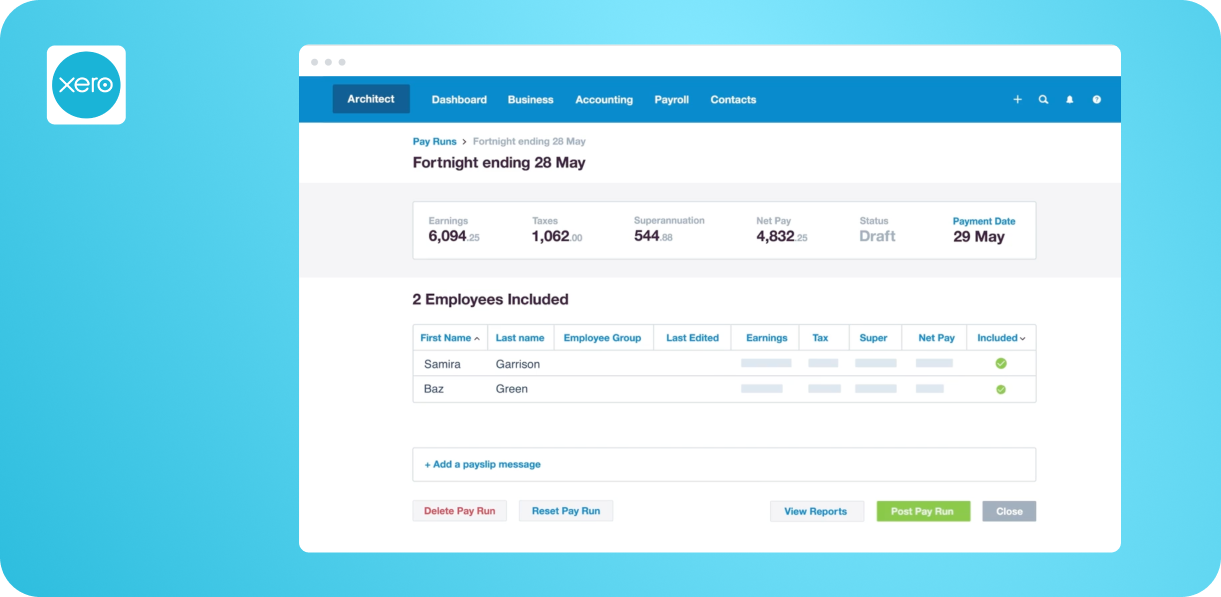
Best for: small businesses already using Xero for accounting and under 200 staff.
Where it fits
Xero Payroll isn't sold on its own. It comes with Xero's accounting plans, with a cap on how many people you can pay each month. That makes it very convenient for a small business whose bookkeeper already lives in Xero, and less convenient as headcount grows or pay rules get complicated.
Key features
- STP Phase 2 reporting, with salary, wages, PAYG and super sent to the ATO from the pay run.
- Super payments through Xero's integration with SuperChoice, so no separate clearing house is needed. Xero says it is SuperStream certified and that auto super is included in every plan at no extra cost.
- Payday Super is calculated in each pay run and paid in Xero, with funds expected to arrive within four to seven business days.
- Leave balances that update with each pay run, and the Xero Me app for payslips, leave requests and timesheets, with managers approving leave and timesheets.
- Flexible pay calendars, spreadsheet employee import and opening balances when you move from another provider.
- Payroll and super that flow into the books and BAS, plus a marketplace of 1,000+ third-party apps, including rostering apps.
Pros
- Payroll and accounting in one place, which bookkeepers and accountants know well.
- Super is included, and there's no separate clearing house to manage.
- A very large app marketplace for rostering, time tracking and other gaps.
Cons
- Payroll headcount is capped by plan, so costs step up ad the team grows.
- Doesn’t have a comprehensive HR module, nor does it include pre-built Modern Awards.
- Rostering isn't native. You'd use a marketplace app.
- Can only cater businesses up to 200 staff.
Pricing
Payroll is included in every Xero plan. After an introductory discount for the first three months, Grow is $78 per month (2 people paid), Comprehensive $107 (5) and Ultimate 10 $143 (10), with larger Ultimate tiers above that. Prices include GST. See Xero's pricing.
Good fit if
You already run Xero, pay a small team on simple conditions, and don’t need rostering or HR in the same system.
4. MYOB
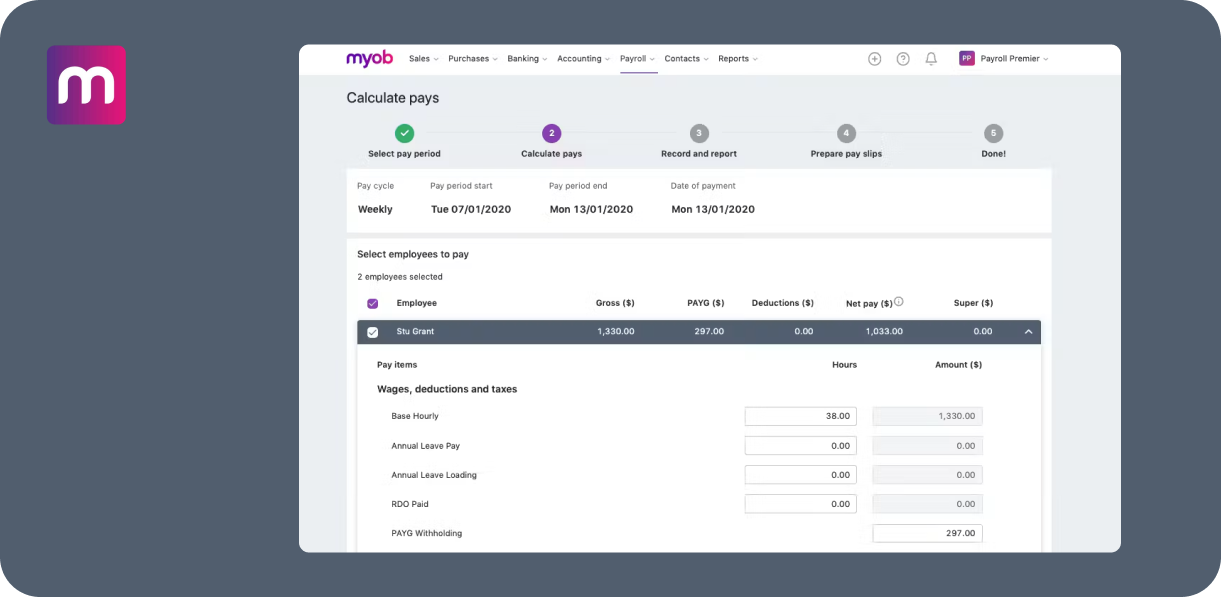
Best for: established small businesses already running MYOB accounting.
Where it fits
MYOB offers payroll in several ways: as an add-on to its accounting plans, included in AccountingRight Plus, or as a standalone Payroll Only plan. It’s a long-standing Australian brand and a natural choice for businesses whose accountant works in MYOB.
Key features
- STP reporting that goes to the ATO automatically at the end of each pay run.
- Pay Super, which MYOB describes as ATO-approved and SuperStream-compliant, with a setup for a default fund, a Pay Super limit and a bank account. It's included in subscriptions that include payroll.
- Award rates, penalties and loadings applied to the right employees, with alerts when something needs attention, such as unusual annual leave amounts.
- The MYOB Team app for onboarding, leave requests, payslips, rosters and clocking on and off by photo, geolocation or kiosk tablet.
- Timesheets that flow into pay runs and STP, with rostering listed under the Pro plan.
Pros
- Accounting and payroll together, from a familiar local brand.
- Rostering and timesheets are available without leaving the MYOB ecosystem.
- A free employee app, and migration help from Reckon, QuickBooks and Xero.
Cons
- Per-employee payroll fees sit on top of the plan fee on Business Lite and Pro, so costs build with headcount.
- Payroll Only is capped at 4 employees and Business Lite at 2.
- No HR module.
Pricing
Business Pro is $70 per month after the introductory offer, with payroll at $3 per employee per month. Business Lite is $315 per year with payroll at $3 per employee for up to 2 employees. AccountRight Plus is $165 per month with unlimited payroll included. Payroll Only is $15 per month for up to 4 employees. See MYOB's pricing.
Good fit if
Your accountant works in MYOB, your award needs are moderate, and you want payroll tied closely to your books.
5. Reckon
Best for: small businesses already using Reckon accounting, or wanting a low-cost standalone payroll app.
Where it fits
Reckon sells payroll standalone as the Reckon Payroll App, and inside Reckon One, its accounting product. It positions itself as made for every small business, with a partner program for accountants and bookkeepers. Pricing is tiered by headcount, with plans for up to 4, up to 10 or unlimited employees.
Key features
- STP Phase 2, with Reckon stating it’s an ATO-approved provider.
- Super calculated, lodged and paid from the pay run, with SuperStream built in, contribution data validated before submission and multiple funds paid in one batch. Payday Super compliant.
- Employees create and submit timesheets for approval, and approved entries feed the pay run.
- Reckon Mate, a free employee app for self-onboarding (TFN, super and bank details), payslips, leave balances and super tracking.
- Batch payslip emailing, pay templates and employee expense claims.
- Phone and chat support seven days a week, a free onboarding session with the trial, and free data migration for paid plans.
- Customer data hosted on Australian servers on AWS.
Pros
- A low entry price, particularly while the promotion runs.
- A 30-day free trial, no lock-in, and month-to-month billing.
- Longer support hours than most competitors in this guide, including weekends.
Cons
- No award engine, rostering, or HR modules.
- The promotional price reverts after 6 months.
- Reckon may move you to a higher plan if you exceed your employee limit.
Pricing
Reckon lists payroll from $16 per month (Payroll Essentials), with plans for up to 4, up to 10 or unlimited employees. Reckon also runs introductory offers for new customers, so check the price you'll pay after any promotion. See Reckon's pricing.
Good fit if
You're a small business already on Reckon accounting, or want low-cost payroll with timesheets and phone support.
6. Payroller
Best for: sole traders and very small teams who want simple, cheap payroll.
Where it fits
Payroller is a low-cost payroll product built for small businesses, contractors and sole traders in trades, hospitality, retail and professional services. It claims more than 200,000 small businesses, and accountants and bookkeepers use its free Payroller Pro. Its Lite plan is free for one person on mobile.
Key features
- STP Phase 2, leave management with automated accruals and an employee app that shows payslips, year-to-date earnings and leave balances.
- Payday Super included in all plans, with super paid in one click through Beam and lodged through SuperStream.
- Xero integration on the Standard plan.
- An editable payslip template designed with Fair Work payslip requirements in mind.
- A Timesheets and Rosters add-on with GPS timesheets, rosters, a kiosk app and leave.
Pros
- Among the lowest prices on the market, with a free Lite plan and a 7-day free trial.
- No contract and a 30-day money-back guarantee.
- Quick to set up for simple pay arrangements.
Cons
- Timesheets and rosters are a paid add-on, which roughly doubles the per-employee cost.
- Award handling isn't described, so it's a weaker fit where pay rules are complex.
- A minimum monthly spend applies after the promotional period.
- Has very limited external integrations.
Pricing
Lite is free on mobile for single-person payroll. Standard is $5.50 per employee per month ($3.99 on yearly billing), with a minimum monthly spend of $22 ($15.96 on yearly billing). New subscribers have been offered $0.99 per employee per month for the first 6 months. The Timesheets and Rosters add-on is $6 per employee per month ($3.99 yearly). See Payroller's pricing.
Good fit if
You have a handful of staff on simple pay arrangements and your main goal is keeping cost low.
How to choose the right payroll software for your business
How many people do you pay, and how complex are their pay rules?
A few staff on a single flat rate need very little. A larger team on penalty rates, allowances, overtime or an enterprise agreement needs software that can be configured to those rules and checked against them. Ask each vendor how awards and agreements are set up, who does that work, and what happens when a rate changes.
Do you need rostering, timesheets and HR as well?
If hours come from a roster or a clock-on, payroll is only as accurate as the data feeding it. Where those tools are separate, someone re-keys or reconciles hours before every pay run. Where they share data, that step disappears.
What will it really cost once add-ons are counted?
Headline prices rarely include everything. Look for minimum monthly fees, per-module add-ons, plan caps on headcount and promotional prices that step up after a few months. Build the full-stack cost for your headcount before you compare.
What is Payday Super and does your software handle it?
From 1 July 2026, employers need super contributions to reach employees' funds within 7 business days of every pay run, which makes super a much more frequent task. Most platforms in this guide say they support it, so the difference is in the implementation: how contributions are processed, which clearing house is used, and how errors and rejections are handled inside that window. Ask each vendor to show you how a rejected contribution is surfaced and fixed.
Payroll-only tools vs all-in-one workforce platforms
Payroll-only tools such as Payroller or Xero Payroll are simple and cheap, and they work well when your pay is simple and your hours arrive from somewhere else. The trade-off is that rostering, timesheets and HR become separate subscriptions as the business grows, each with its own login and its own cost.
All-in-one platforms such as Microkeeper and Employment Hero cost more to set up, but they keep rosters, clock-ons, leave and payroll on the same data. For shift-based or multi-site teams, that usually saves more in admin time than it costs. If you're weighing the full suite, our best workforce management software comparison looks at the broader platforms side by side.
Where Microkeeper fits in
Microkeeper suits Australian employers who want payroll that runs straight off approved timesheets and rosters, with one price per person and real people on the phone when something needs fixing. It isn't the cheapest option for a business with one or two employees, and it asks you to configure your pay rules at setup rather than loading a prebuilt award library. For mid-sized and multi-site businesses, that trade-off tends to be worth it.
If you're short-listing, pick three or four tools, check how each handles your most awkward pay scenario, and run a trial pay run on real data.
Frequently asked questions
- What is the best payroll software in Australia?
- It depends on your business. Xero Payroll and MYOB suit small businesses already on those accounting products, Payroller suits very small teams on a budget, and Employment Hero and Microkeeper suit businesses that want payroll connected to HR, rostering or timesheets.
- What is the cheapest payroll software in Australia?
- Payroller and Reckon have the lowest published entry prices, including a free Payroller Lite plan for single-person payroll, Payroller Standard from $5.50 per employee per month and Reckon payroll from $16 per month. Payroller's price can rise after introductory periods, and neither includes a full rostering and HR suite. Microkeeper's payroll-only plan is $25 per month for up to 10 staff.
- Does payroll software need to support Payday Super?
- Yes. From 1 July 2026, super contributions must reach employees' funds within 7 business days of every pay run, so your payroll software needs to process super on each cycle.
- Which payroll software handles modern awards?
- Employment Hero describes built-in award interpretation. Microkeeper handles awards through configured pay rules set up during onboarding rather than a prebuilt library. MYOB accounts for award rates and loadings with alerts. Xero, Reckon and Payroller don't describe an award engine on their payroll pages, so check how they'd cover your award.
- Can payroll software handle more than one ABN?
- Some can. Microkeeper supports multi-ABN payroll, with each pay cycle linked to a specific ABN and access controlled per pay cycle. Check the others directly if you run more than one ABN.
This blog is intended as general information only and does not constitute legal or payroll advice. We recommend reviewing the relevant legislation and seeking professional advice for your specific situation. Comparison details were checked against vendors' public pages in October 2026 and may have changed.
Want to see how Microkeeper handles your pay rules? Book a free consultation or try 1 month free.
More reading
The best HR software in Australia (Top 6 – 2026)
The best rostering software in Australia (Top 7 – 2026)
.png)
.png)