


.svg)
.svg)

.png)
When a new employee is hired, there's a lot to collect before they're actually ready to work and get paid: contact details, tax information, bank details, superannuation, availability, custom fields, skills, and important documents. Right now, that progress usually only becomes visible when something's missing on payroll day, or when a manager opens an individual profile to check.
Onboarding Review changes that. It gives managers a single place to see how every new starter is processing, who still needs to do something, and what's slowing the whole team down.
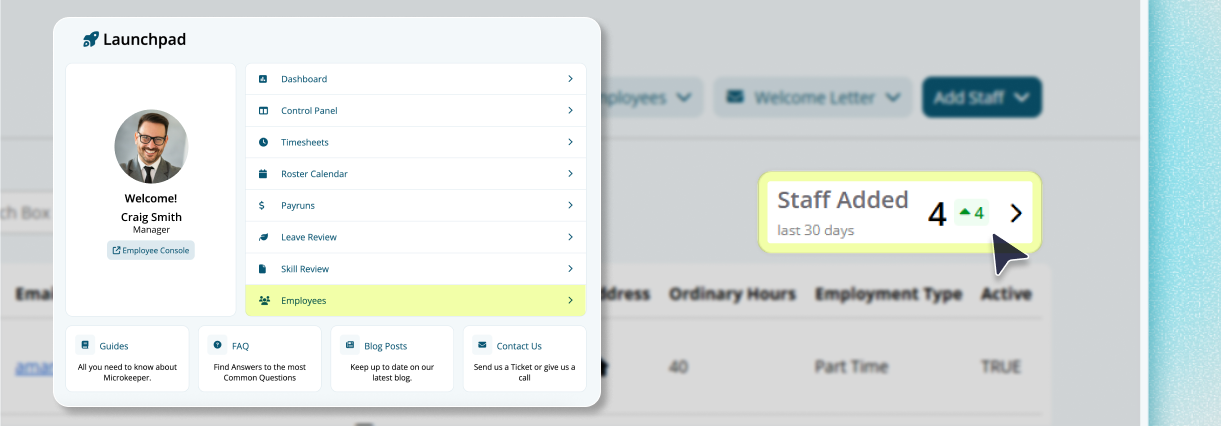
You'll find it on the Employees page under the Staff Added card, now labelled Onboarding Review. It sits alongside the existing employee onboarding flow, it doesn't change how staff complete their onboarding, it just shows you what's happening across your team, using the onboarding rules and requirements you've already got configured.
What it actually gives you
You'll know exactly who needs attention, without opening a single profile
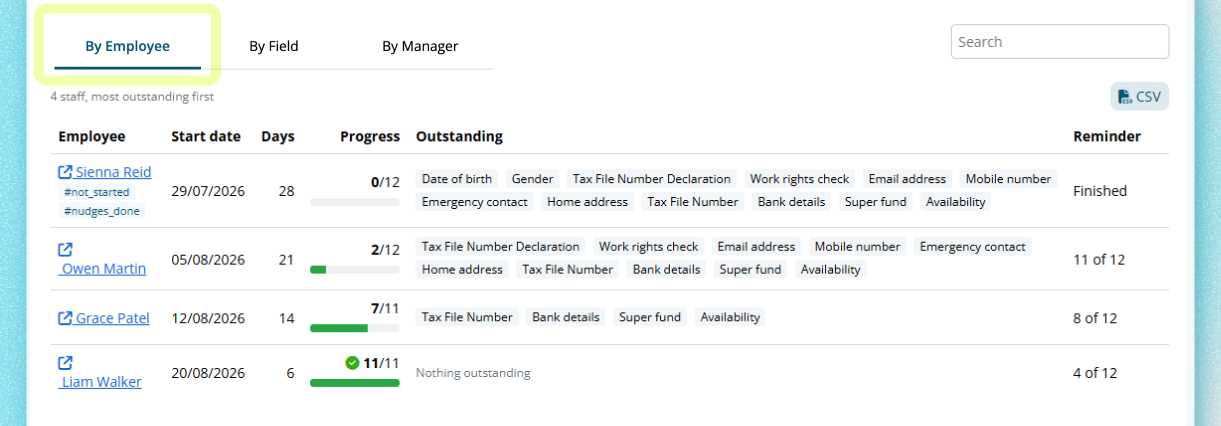
Every new starter is listed with their start date, days since starting, onboarding progress, the exact outstanding items, and where they sit in the reminder sequence, sorted so the people who need the most follow-up show up first.
You can find the bottleneck instead of guessing at it
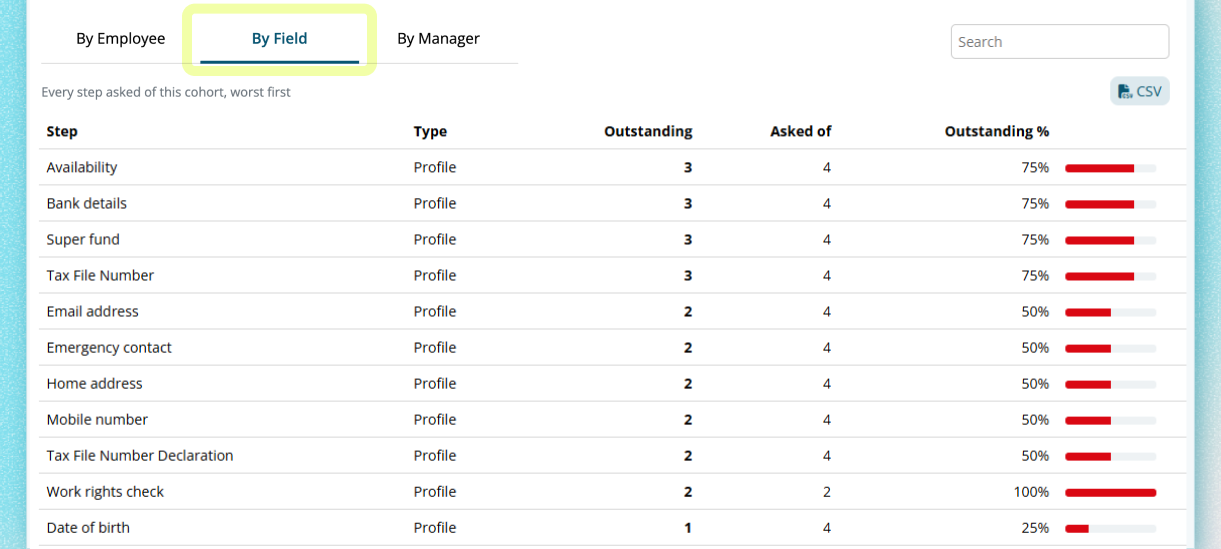
If one requirement is holding up half your new starters: bank details, a specific custom field, a skill, or a document, it shows up ranked against every other requirement, so you know exactly where to focus instead of chasing each employee individually.
Payroll-critical information stays visible
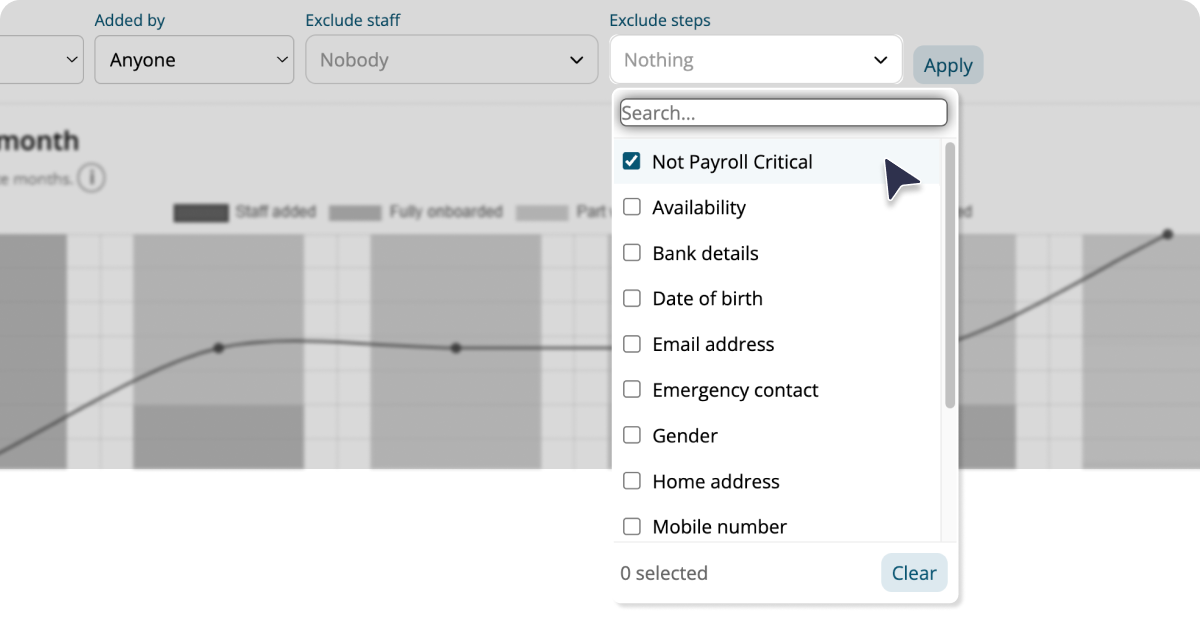
If you only care about what's needed to run payroll, a Not Payroll Critical filter strips the report back to the essentials: date of birth, home address, TFN declaration, TFN, bank details, and super, so you can see at a glance who's actually ready to be paid.
You can see whether onboarding is getting better or worse
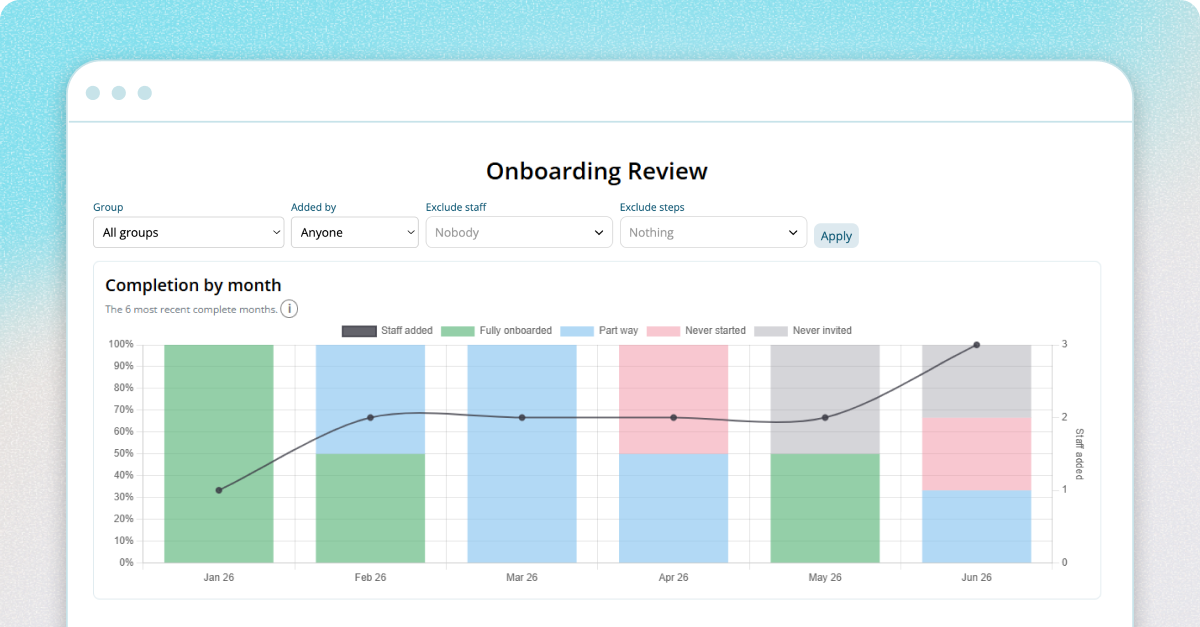
A six-month completion trend shows the split between fully onboarded, part-way, never started, and never invited for each recent cohort, alongside how many staff were added each month, so you're not just managing one starter at a time, you're managing the process.
Follow-up takes less manual work
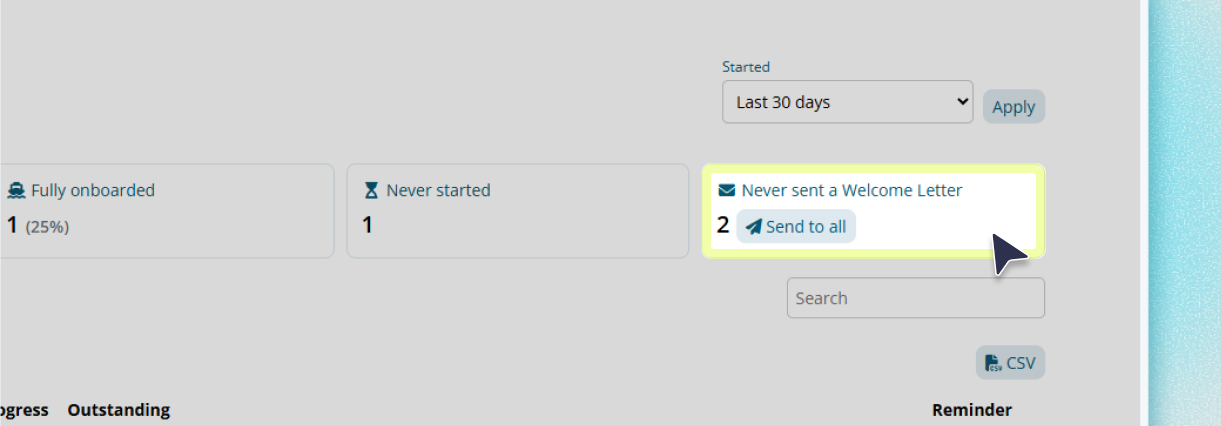
Eligible staff can be sent their Welcome Letter, with login details, directl from the page, one at a time or in bulk to everyone eligiible in your managed scope.
Nothing about your current setup changes
The review works with the custom fields, critical skills, documents, availability settings, and empoyee information you've already configured. There's nothing new to set up.
You can take the detais elsewhere
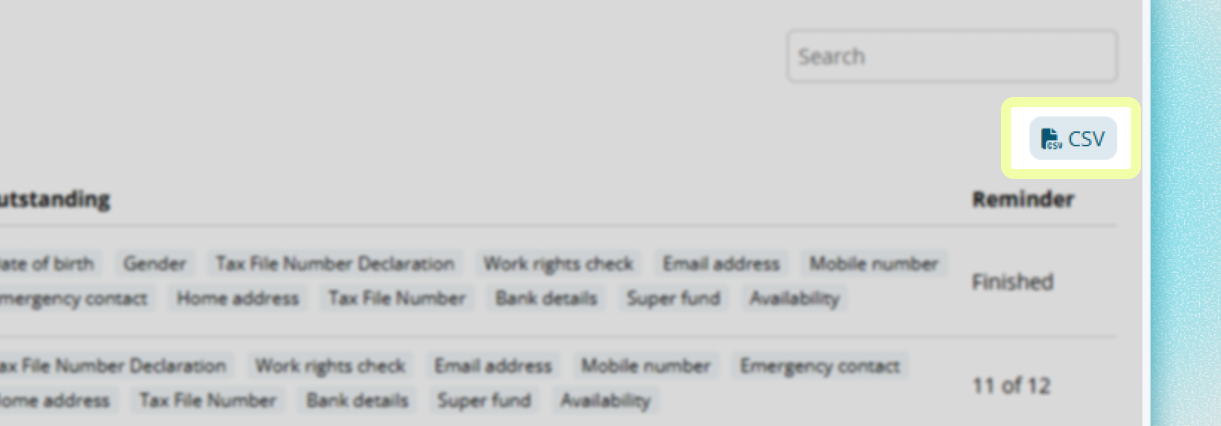
Employee-level and step-level CSV exports are available if your want to keep following up through an existing reporting process.
Three views and a trend line
- By employee answers the question managers ask most: who do I need to follow up with? Each row shows the employee's start date, days since starting (or an upcoming-start flag), progress against the steps they've been asked for, the exact items still outstanding, their position in the reminder sequence, a direct link to their pofile, and a Welcome Letter action when they're eligible. Rows are sorted with the most outstanding staff first by default, and can be searched.
- By field flips the view around: instead of who's behind, it shows what's causing the hold-ups. Each onboarding requirement, whether it's a profile field, a custom field, a skill, or a document, is ranked by how many staff still have it outstanding, so you can see at a glance whther it's bank details, a licence, or a signed document dragging the cohort down.
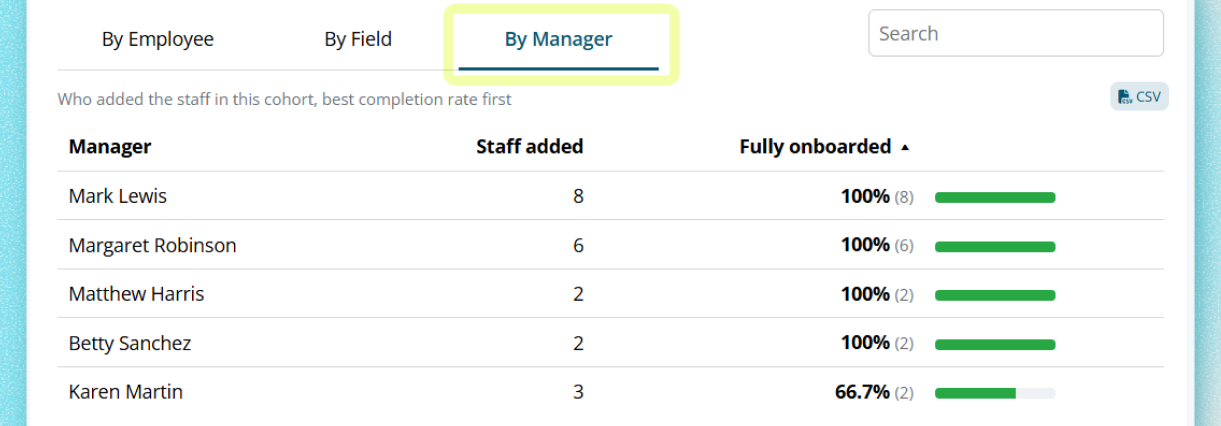
- By manager shows completion grouped by whoever added the staff in each cohort, ranked by completion rate from best to worst. If onboarding outcomes vary across your team, some managers consistently getting new starters through quickly, other with a pattern of incomplete records, this view surfaces that without requiring any manual analysis.
- Completion by month tracks the last six complete months. It's deliberately set two months back from today, giving the newest cohort time to move through its full reminder window before it's counted, so the trend reflects real outcomes, not starters who cimply haven't had time to finish yet.
Built for how onboarding actually gets managed
Managers can see emplpoyes within their own managed scope, location access and linked groups work exactly the way they already do on the Employee page, so this doesn't hand anyone visibility they shouldn't have.
And because the report reflects your business's own configuration, its custom fields, critical skills, required documents, and availability settings, what you see is specific to how youronboarding process actually works, not a generic checklist.
Where to find it
Log in to Microkeeper, open Employees, and select the Staff Added card. If you manage onboarding for a team, it's worth a look before your next pay run. As always, if you have questions about how its applied to your setup, our support team is a phone call or ticket away, no bots, just real people.
.png)
.png)
.png)


