

.svg)
.svg)

.png)
Choosing HR software in Australia comes down to a few practical questions. Does it cover the work you actually do each week, such as onboarding, leave, documents and compliance records? Does it connect to rostering, timesheets and payroll, or does your HR data live on an island?
And what will it cost once minimums and add-ons are counted? This guide compares six HR options Australian employers shortlist most often: Microkeeper, Employment Hero, ELMO, BrightHR, workit and BambooHR.
The short answer, by business type:
- Best for hourly and shift-based teams that want HR connected to rostering, timesheets and payroll: Microkeeper
- Best broad HR suite from one Australian vendor: Employment Hero
- Best for mid-sized and larger organisations wanting talent, performance and learning tools: ELMO
- Best for small businesses wanting advice and compliance support alongside software: BrightHR
- Best low-cost HR with rostering and timesheets for smaller teams: workit
- Best for HR-first, office-based teams that run payroll in Xero: BambooHR
What we mean by “HR Software” in this guide
HR software holds your people data and supports the work around it: onboarding, employee records and documents, leave, skills and certifications, performance and compliance. In this guide we’ve leaned toward products that serve Australian employers day to day. We’ve noted where payroll, rostering and timesheets come built in and where they’re separate products or integrations, because that’s often what decides whether HR data stays accurate.
What we looked at when comparing HR software
We compared each option on five things that matter to Australian employers:
- Core HR coverage: onboarding, documents, leave and records.
- Compliance support: tracking of licenses, certifications and signed documents, and any advisory help.
- Connected workforce data: whether rostering, timesheets and payroll share data with HR.
- Real cost: the headline price plus minimums, add-ons and implementation fees.
- Support: level and accessibility of help when something goes wrong.
Quick comparison: HR software at a glance
Pricing shows on each vendor’s public pages in October 2026. Most vendors don’t state whether their prices include GST. Check before you buy.
1. Microkeeper
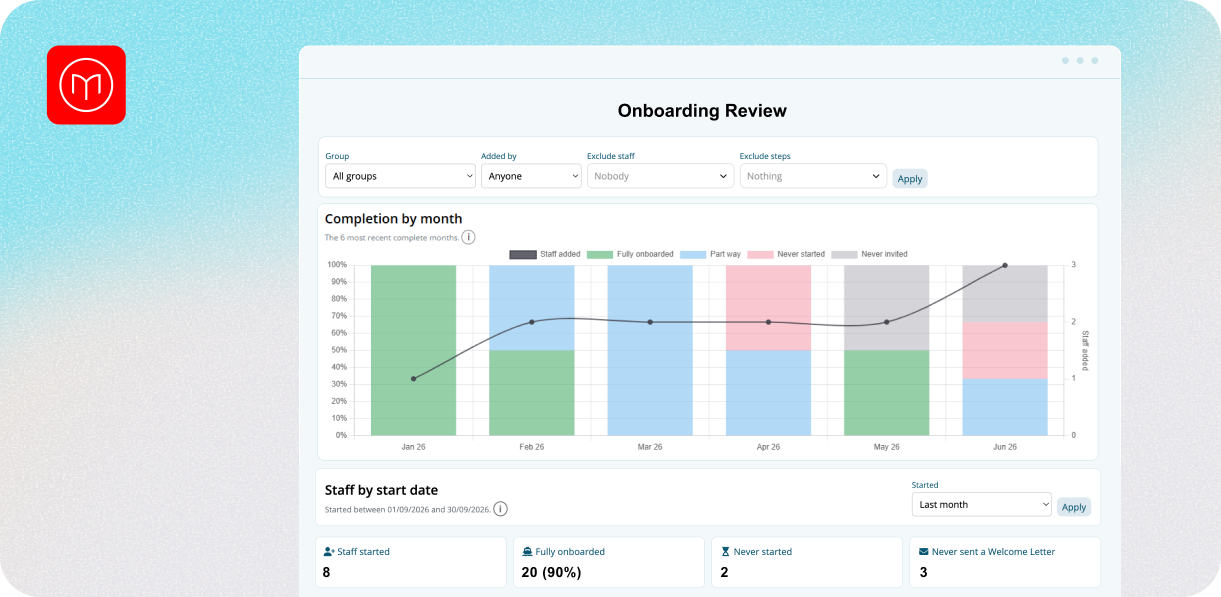
Best for: Australian employers with hourly, shift-based or multi-site teams who want HR, rostering, timesheets and payroll in one system.
Where it fits
Microkeeper is an all-in-one workforce platform built from the ground up as one system in Geelong, Victoria. HR sits on the same data as rostering, timesheets and payroll, so leave approved in HR shows on the roster, and a licence that’s about to expire can be flagged where scheduling decisions are made.
Key features
- Online onboarding, with an onboarding review step before new starters go live.
- Personal files for individual HR documents, with four levels of sign-off, where a critical document can block clock-on until it’s signed.
- Leave management, with configurable accruals, Leave Review and Leave Blockouts for your busiest days.
- Skills and document tracking with expiry reminders for licences and certifications.
- A Personal Files AI assistant that drafts HR documents inside Personal Files from a prompt, in a chat-style window, and can follow a template you upload.
- VEVO visa checks
- Recruitment through TeamTailor and Manatal integrations.
- An employee app, work messaging and an HR dashboard.
Pricing
The Standard plan, which covers HR, rostering, timesheets and payroll, is $6 per user per month. Enterprise plans are quoted per case. See current pricing.
Pros
- HR, rostering, timesheets and payroll on one platform and one price, with no add-on tiers.
- Compliance records that connect to scheduling, such as blocking clock-on until a critical document is signed.
- Onshore support by phone and ticket, with no chatbots.
- Data stored in Australia, and Microkeeper is ISO 27001:2022 compliant.
- Industry setups for healthcare, hospitality, construction, labour hire and more.
Cons
- Microkeeper doesn’t include a learning management system, so training content and course delivery need another tool.
- It isn’t a full performance, talent and succession suite. ELMO and Employment Hero go deeper there.
- Fewer native third-party integrations than some larger competitors, though an open API is available.
- Some larger competitors have more polished interfaces.
- Not the best fit for sole traders or micro-businesses with no staff.
Good fit if
You employ hourly or shift-based staff, need to track licences and signed documents, and want HR to sit on the same data as the roster and the pay run.
2. Employment Hero
.png)
Best for: Businesses that want a broad HR suite from one large Australian vendor, with payroll and rostering available as add-ons.
Where it fits
Employment Hero sells HR in tiers. HR Essentials covers the basics, HR Engage adds recruitment, performance and engagement tools, and HR Elite and Employment Unlimited are quoted. Payroll and rostering sit alongside as separate products, so the full picture depends on which of them you buy. It positions itself for businesses from start-ups upward, across industries including childcare, construction, healthcare, hospitality, NDIS providers and retail.
Key features
- On every HR plan: leave management, employee records, staff directory and org chart, document management with a template library, onboarding and offboarding checklists, policies and compliance tools, individual VEVO checks and a built-in learning management system.
- From HR Engage: recruitment tools, digital employment offers, performance reviews, one-on-ones and feedback, surveys, recognition, expenses, benefits management, incident reporting, and asset register and bulk VEVO checks.
- From HR Elite: goals, 360 reviews, a 9 Box talent grid, custom reports, forms and workflow automation.
- HR Advisory (optional): ongoing workplace advice, compliance guidance, document reviews, employee relations support and an HR resource library.
- AI tools: Hero AI and HR Agent that answer common HR questions and suggest next action.
- An employee app, and Employment Hero says its platform is ISO 27001 certified.
Pros
- One of the broadest HR feature sets in the Australian market, with a clear step-up path from basics to talent development.
- HR advisory gives employers without an in-house HR team access to guidance as well as software.
- Payroll, rostering and time and attendance can come from the same vendor.
Cons
- Every HR plan has a 10-user minimum, billed on the higher of contracted or active users. That’s a poor fit for very small teams.
- The most useful features are spread across tiers. Performance reviews, surveys and benefits start at Engage, and goals, 360 reviews and custom reports are Elite.
- Payroll, rostering and advisory are paid add-ons, so the real cost builds up.
Pricing
HR Essentials is listed at $10 and Engage at $14, with a further $10 for payroll and $4 for rostering. The HR Advisory upgrade is $14 per user per month with a $280 minimum. See Employment Hero’s pricing.
Good fit
You want deep HR features from a large vendor, you’re comfortable building a bundle of plans and add-ons, and you have at least 10 employees.
3. ELMO
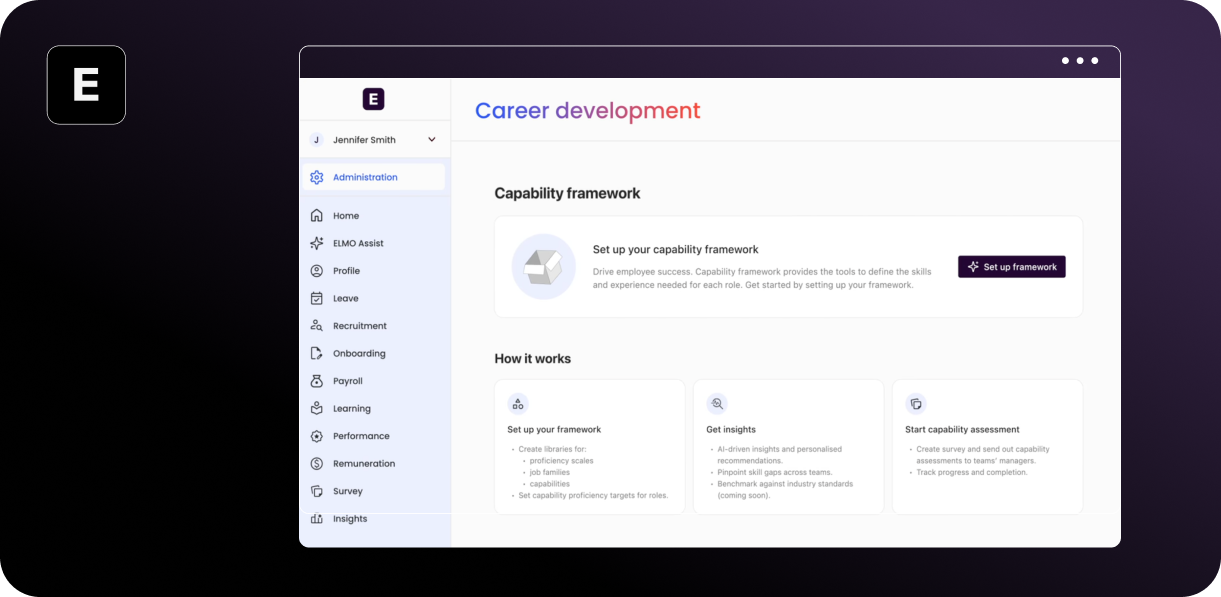
Best for: Mid-sized organisations that want talent, performance and learning tools alongside core HR.
Where it fits
ELMO is a modular platform, aimed by its own description at Australian mid-sized organisations with 100 to 5000 employees. You buy the modules you need: HR Core, onboarding, recruitment, performance, learning, surveys, succession and more. It also sells a separate rostering, time and attendance product with an award library, and payroll through partners. Its industries include healthcare, education, manufacturing, retail, hospitality, local government and construction.
Key features
- HR Core: employee records with live dashboards and workforce reports, and credential tracking with audit reports.
- Onboarding: document categories, secure forms, document expiry tracking and digital signatures for contracts and policy sign-offs.
- Recruitment: posts to SEEK, LinkedIn Careers and Indeed together, with AI-assisted candidate screening that scores applications against the job ad.
- Performance: goals, KPIs and OKRs, automated review cycles, 360 feedback and check-ins.
- Learning: ELMO Learning is a full learning management system, with a Course Library of 400+ ready-made courses as a paid add-on, and automated compliance training with certification expiry tracking.
- Survey, succession and insights: engagement and pulse surveys, 9-box succession planning with flight-risk views, and plain language analytics through ELMO Insights.
- Security: certified to ISO/IEC 27001:2022, 2701 and 42001, with customer data hosted in Australia on AWS.
Pros
- One of the deepest talent management suites in this guide, from recruitment through to succession.
- A real learning management system with complaint training, which is something Microkeeper doesn’t offer.
- Strong stated security credentials and Australian hosting.
- Implementation is included at a basic level, with more hands-on options if you need them.
Cons
- Pricing is quote only, based on workforce size, modules and services, so you can’t compare cost without a sales conversation.
- Payroll isn’t a single native engine. ELMO matches you to a payroll partner or connects your existing system, and award handling depends on that choice.
- Rostering is a separate product, not part of HR Core.
- The mid-market focus means it may be more than a small team needs.
Pricing
Quote only. See ELMO’s pricing page.
Good fit if
You run a larger organisation, want performance, learning and succession in one suite, and are happy to run payroll through a partner.
4. BrightHR
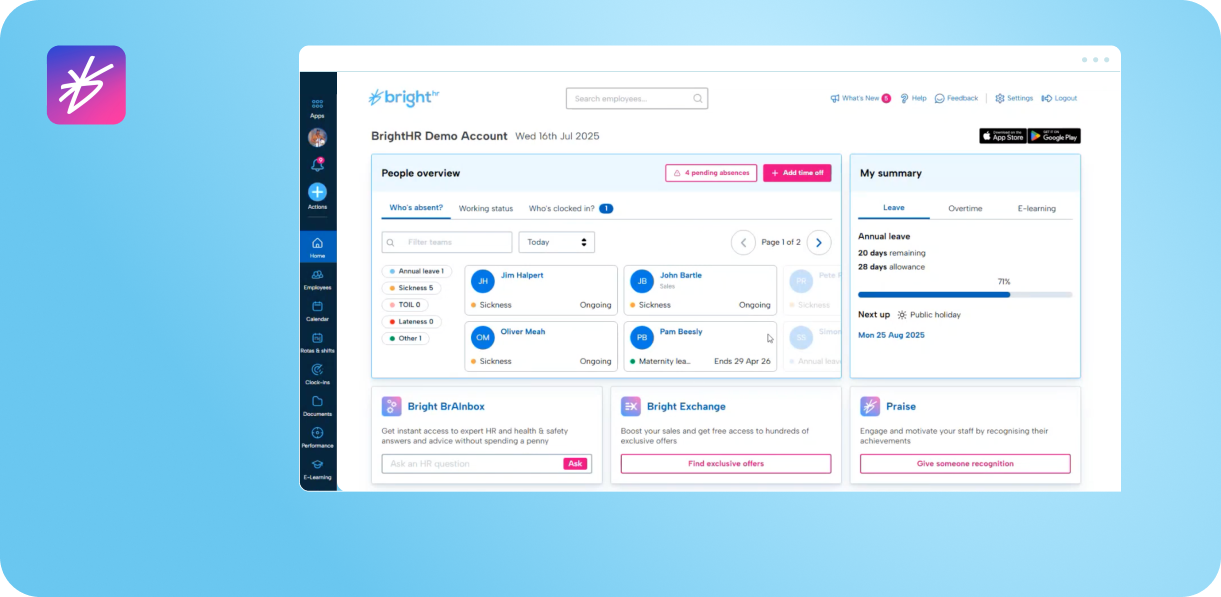
Best for: Small and medium businesses that want employment and safety advice alongside HR software.
Where it fits
BrightHR is a UK-founded product, with its head office in Manchester and an Australian entity in Sydney. Its pitch is software plus a phone line. The higher plans add a 24/7 employment relations advice line, employment law updates and a document template library, and the top plan adds health and safety software and advice. It serves everyone from start-ups to businesses of 250+ staff with construction, healthcare, hospitality and retail names.
Key features
- HR software: an annual leave planner that avoids clashes, absence tracking, overtime tracking and performance management tools.
- Documents: unlimited document storage, read receipts and airports on who has accepted a document.
- Fair Work Act Navigator: checks employee data for missing items such as start dates, pay rates and award classifications, and alerts you to updates.
- Rotas and clocking: shift scheduling with open shifts, plus the Blips clocking app with geofencing, GPS and QR codes.
- Health and safety: incident and near-miss reporting, risk assessment templates, a SWMS navigator and online H&S courses.
- Advice services: a 24/7 employment relations advice line and a health and safety advice line, with an AI assistant called BRAINBOX+ for instant HR answers.
- ISO 27001:2022 certification, a SOC 2 Type I report, and Australian and New Zealand data held in Australia.
Pros
- The advice lines are a real differentiator for employers without an HR manager.
- Health and safety software and advice sit in the same product, which suits construction, healthcare and hospitality.
- Published pricing, which is unusual among the larger vendors.
Cons
- It’s the most expensive per employee in this guide, and the advice lines aren’t in the cheapest plan.
- Contracts run 24, 36 or 60 months, and only 36 months can be bought online.
- There’s no native payroll run that we could find. The only payroll integration is Xero, with a one-time employee import and a one-way leave sync.
Pricing
BrightHR’s pricing page lists three plans per employee per month in Australian dollars, excluding tax: Core HR for $41.67/user/month, Enhanced HR support for $51 /user/month, and Full HR, health and safety support & EAP for $67.80/user/month for 4 employees. The price varies depending on the number of employees. See BrightHR pricing.
Good fit if
You have no in-house HR, want an advice line you can ring, and your payroll lives in Xero.
5. workit
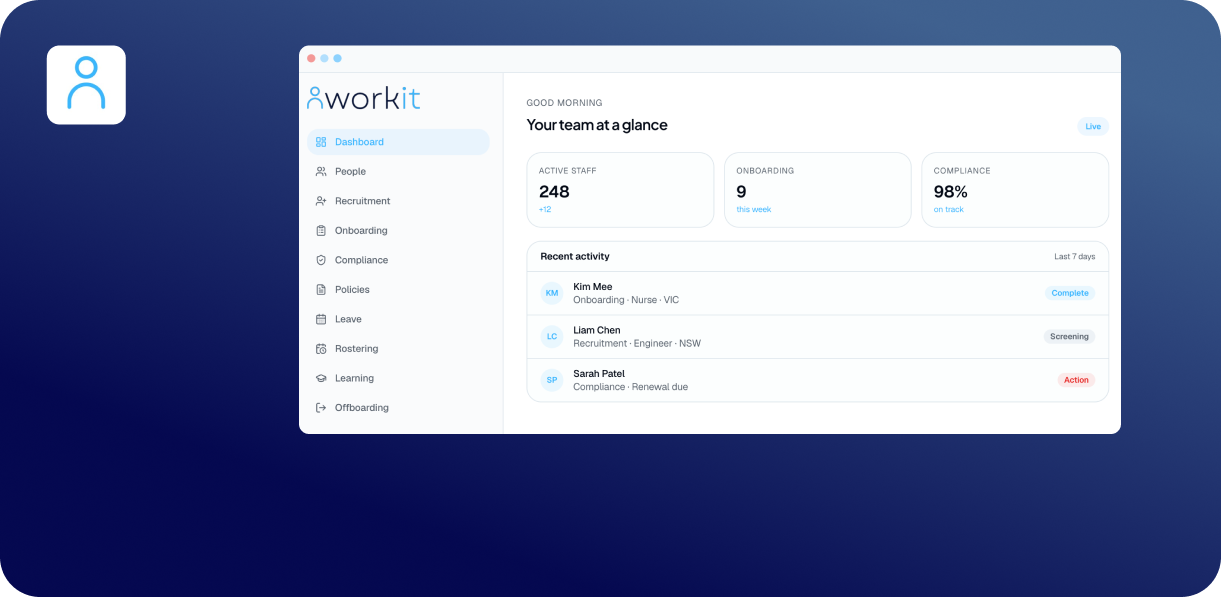
Best for: smaller and mid-sized teams that want a low-cost, all-modules HR system with rostering and timesheets included.
Where it fits
Workit is a 100% Australian-owned HR platform based in Prahran, Victoria. It charges one flat price for 18 modules, so you don’t choose tiers. It targets small teams through to multi-site operators, with industries including healthcare and aged care, hospitality, construction, retail, education, mining and labour hire.
Key features
- The 18 modules: recruitment, onboarding, HR Core, workforce and succession planning, employment variations, compliance, rostering and timesheets, performance, surveys, learning, policy management, leave, forms, incident reporting, offboarding, a HR service desk, and rewards and recognition. Background screening is listed as coming soon.
- Onboarding: contracts generated from templates and sent for e-signature, pre-built super choice and tax file declaration forms, and timestamped policy sign-off. Data can be pushed to Xero, MicroPay, Definitiv, and TASS.
- Compliance: licence and ticket tracking with rule-based renewals and expiry reminders, such as police checks, working with children checks, first aid and visas.
- Leave: designed for Australian leave types, with balances synced two-way with Xero.
- Rostering and timesheets: rosters by team, site or role, mobile clocking with geofencing, and bulk timesheet approval with exception flags.
- AI: drafts position descriptions, job ads, offer letters and policies, and summarises feedback and incident reports, with staff reviewing the output.
- An open API, Microsoft Entra ID sign-in, and a Fair Work feed for award and classification updates.
Pros
- A very low flat price that includes every module, including rostering, timesheets, and a learning module.
- Monthly billing with no lock-in, and a 30-day free trial.
- Compliance tracking and incident report built in, which suits regulated industries.
- Local support, with a phone line.
Cons
- Payroll isn’t native. It connects to Xero, Access MicroPay and Access Definitv, and Xero is the only integration with documented two-way leave sync.
Pricing
$5 per employee per month, with every module included, billed monthly. The minimum is 10 employees ($50 per month). See workit’s pricing.
Good fit if
You want a lot of HR coverage for a low price and you run payroll in Xero or another connected system.
6. BambooHR
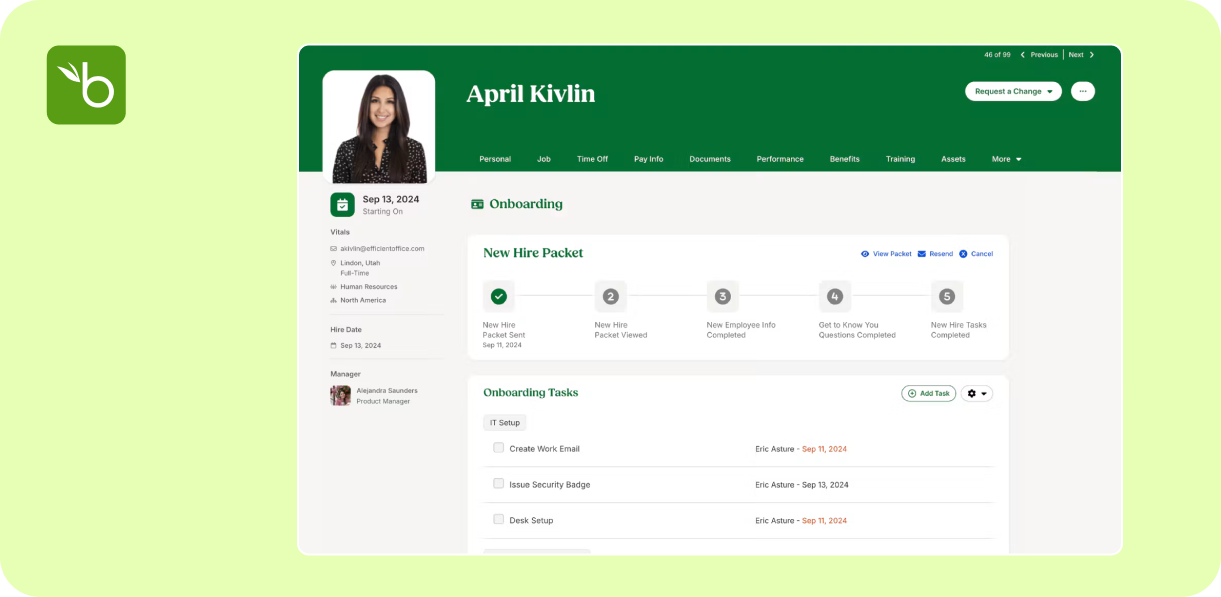
Best for fit: HR-first, office-based teams that run payroll in Xero.
Where it fits
BambooHR is an international HR platform with more than 30,000 customers in 190 countries. Australia is a partly supported market: it sells here, and its Australian payroll connection is a Xero integration.
Key features
- Core: employee records, custom reports, workflows, hiring and onboarding, time-off management, benefits tracking, eNPS and wellbeing tools, and compliance intelligence.
- Time off: a custom policy builder for different locations, departments and special leave.
- Pro: adds performance management, including 360 reviews and one-on-ones, and recognition.
- Elite: adds compensation tools, custom dashboards and 300+ compliance courses.
- AI: an AI assistant for HR data.
- Security: annual SOC 1 and SOC 2 audits, with a SOC 2 Type 2 report available.
Pros
- A polished, well-established international product with broad core HR, performance and engagement tools.
- Published US pricing gives you a rough sense of scale.
Cons
- BambooHR’s own payroll covers US employees only. For Australia, a Xero Payroll add-on syncs employee and pay data one way from BambooHR to Xero, and it was offered to new customers only.
- Their pricing is set in USD, so the final price would depend on the current currency exchange rate.
- Data is hosted in the US, Canada or Ireland, not Australia.
- No rostering or clocking offering.
Pricing
BambooHR’s US plans page lists Core at $10, Pro at $17 and Elite at $25 per employee per month for companies over 25 employees, in US dollars. See BambooHR’s pricing.
Good fit if
HR is your priority, your workforce is mostly salaried and office-based, and you’re comfortable with offshore data hosting and a one-way payroll sync to Xero.
How to choose the right HR software for you business
What problem are you actually solving?
If your pain is chasing signatures, expired licences and missing onboarding paperwork, you need strong document and compliance tracking. If its performance reviews and career paths, you need a talent suite. If it is leave clashes and roster gaps, you need HR tied to scheduling. Start with the problem, not the feature list.
Does HR need to talk to rostering and payroll?
Where HR data and scheduling are separate, someone has to keep leave, licences and employment details in sync by hand. Where they share data, leave approved in HR appears on the roster, and a lapsed certification can be seen before a shift is assigned. For related guides, see the best rostering software in Australia and the best payroll software in Australia.
What will it really cost once add-ons are counted?
Look for user minimums, per-module add-ons, advisory upgrades and implementation fees. Build the full-stack cost for your headcount before comparing.
How much compliance help do you want from the vendor?
Some tools give you records and reminders. Others add advice lines or advisory plans. Decide whether you need software only, or software and someone to call.
HR-only tools vs all-in-one workforce platforms
HR-only tools can go deep on performance, learning and advice. The trade-off is that rostering, timesheets and payroll become separate products, with separate logins and costs, and the HR record only stays accurate if every integration holds.
All-in-one platforms such as Microkeeper keep HR, rosters, clock-ons and pay on one set of data. For shift-based or multi-site teams, that usually saves more in admin time than it costs. If you're weighing the full suite, our best workforce management software comparison looks at the broader platforms side by side.
Where Microkeeper fits in
Microkeeper suits Australian employers who want HR that connects directly to scheduling and pay, with one price per person and real people on the phone when something needs fixing. It isn't the right tool if you need a learning management system or a full performance and succession suite. For mid-sized and multi-site businesses with shift-based teams, having onboarding, documents, leave and skills on the same data as the roster is what tends to make the difference.
If you're short-listing, pick three or four tools, check how each handles your most awkward compliance scenario, and run a trial with real employee records.
Frequently asked questions
- What is the best HR software in Australia?
- It depends on your business. Employment Hero and ELMO suit organisations wanting deep HR suites, BrightHR suits small businesses wanting advice, workit suits budget-conscious teams, BambooHR suits HR-first office teams, and Microkeeper suits shift-based businesses that want HR connected to rostering, timesheets and payroll.
- What is the cheapest HR software in Australia?
- workit lists $5 per employee per month for every module, with a 10-employee minimum, and Employment Hero's HR Essentials starts from $10. At the other end, BrightHR starts from $33.34 per employee per month. Microkeeper's Standard plan is $6 per user per month and includes rostering, timesheets and payroll as well as HR.
- Does HR software include payroll?
- Sometimes. Microkeeper includes payroll on the same plan as HR. Employment Hero sells payroll as a separate add-on from $10 per employee per month, ELMO delivers payroll through partners, and BrightHR, workit and BambooHR connect to Xero or other payroll systems rather than running payroll themselves. Check how each product handles payroll before you buy.
- Can HR software track licences and certifications?
- Many can. Microkeeper tracks skills and documents with expiry reminders, and its personal files can block clock-on until a critical document is signed. Ask any vendor to show how it flags an expiring licence before a shift is assigned.
- Does HR software use AI?
- Some now do. Microkeeper's Personal Files AI assistant drafts HR documents inside an employee's Personal Files from a prompt, and can follow a template you upload. As with any AI-generated document, a person should review it before it goes out.
- Do small businesses need HR software?
- Once you have several employees, software saves time on onboarding, leave and records, and reduces the risk of lost paperwork. Very small teams with simple needs can start with a lighter tool and move to an all-in-one platform as they grow.
This blog is intended as general information only and does not constitute legal or payroll advice. We recommend reviewing the relevant legislation and seeking professional advice for your specific situation. Comparison details were checked against vendors' public pages in October 2026 and may have changed.
Want to see how Microkeeper handles your HR records? Book a free consultation or try 1 month free.
More reading
The best rostering software in Australia (Top 6 - 2026)
.png)
.png)


